Skip to content

Best AI Tools for Business Intelligence (Turn Data Into Decisions in 2026)
Quick Navigation: How I Tested • Comparison Table • Risks • Best Tools • FAQ
Every business collects data. Few businesses use it well. Customer transactions, website analytics, marketing spend, operational metrics, financial results — the data exists in spreadsheets, databases, and SaaS platforms across the organization. The gap between having data and making better decisions from it is where most businesses struggle.
Traditional business intelligence required dedicated analysts who could write SQL, build dashboards, and interpret statistical results. Most small and mid-size businesses don’t have these analysts. The result is that business decisions are made on gut feeling, anecdotal evidence, and whatever numbers someone happened to pull into a spreadsheet last month.
AI business intelligence tools close this gap by making data analysis accessible to people who aren’t analysts. They connect to your data sources, answer questions in natural language, build dashboards automatically, identify trends you didn’t ask about, and surface anomalies that need attention. The goal isn’t replacing analysts — it’s making basic data literacy a capability every business has.
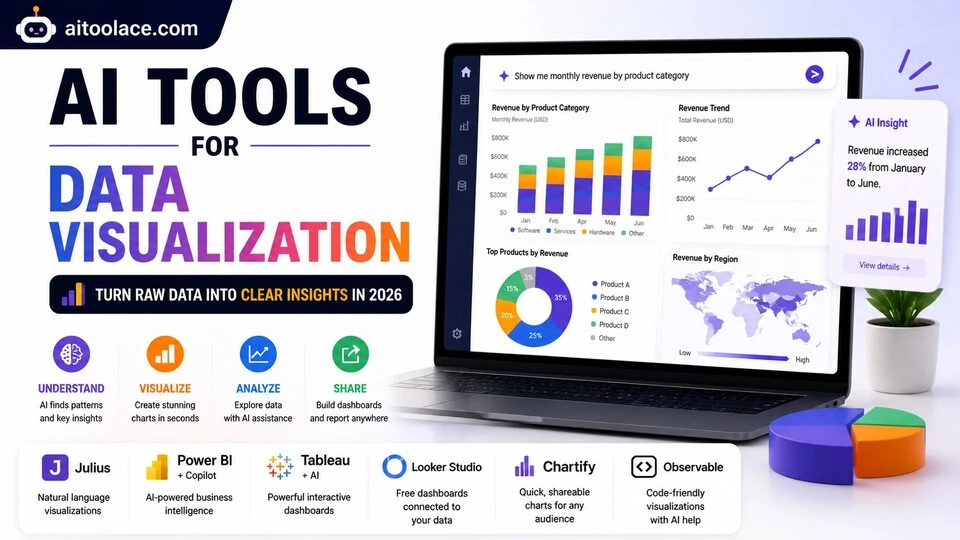
For data analysis specifically, Best AI Tools for Data Analysts covers the analytical workflow. For visualizing data, Best AI Tools for Data Visualization addresses the charting side.
Quick answer: ThoughtSpot is the most accessible AI-powered BI tool for natural language queries. Power BI with Copilot is best for Microsoft-centric organizations. Looker is strongest for data teams that need a semantic layer.
How I Tested These Tools
I evaluated each tool based on what matters for business intelligence:
- Accessibility — can non-technical users ask questions and get useful answers without SQL or dashboard building
- Data connection — does it connect to the data sources your business actually uses
- Insight quality — does it surface meaningful insights, not just reformat numbers into charts
- Dashboard capability — can it create dashboards that stakeholders actually use for decision-making
- Scalability — does it work for a business with a few data sources and scale to dozens
I reviewed each tool’s features, tested natural language query capabilities, and consulted feedback from business analysts and operations leaders. I did not fabricate accuracy statistics or invent decision improvement metrics.
Comparison Table
| Tool | Best For | Key Strength | Pricing |
|---|---|---|---|
| ThoughtSpot | Natural language BI | Ask questions about your data in plain English | Paid |
| Power BI + Copilot | Microsoft ecosystem | AI inside the most widely used BI platform | Paid |
| Looker | Data team semantic layer | Governed data models with AI exploration | Paid |
| Metabase | Free self-service BI | Open-source BI with visual query builder | Freemium |
| Sisense | Embedded analytics | AI-powered analytics embedded in your own products | Paid |
| Claude | Ad-hoc data analysis | Custom analysis of business data through conversation | Freemium |
Best AI Tools for Business Intelligence
ThoughtSpot — Best for Natural Language BI
ThoughtSpot lets anyone in the organization ask questions about business data in plain English — “what was our revenue by region last quarter” or “which products had declining sales in the last 90 days” — and get instant, accurate answers with visualizations. No SQL, no dashboard building, no analyst required.
What it does well:
- answers business questions in natural language with instant charts and tables from your actual data
- AI-generated insights proactively surface anomalies, trends, and patterns without anyone asking
- SpotIQ automatically analyzes data across dimensions to find statistically significant patterns
- supports drill-down exploration — start with a high-level answer and explore the details behind it
- connects to most data warehouses and databases (Snowflake, BigQuery, Redshift, SQL Server)
Where it falls short: Natural language query accuracy depends on how well the data model is configured — ambiguous column names or complex data relationships can produce wrong answers to seemingly simple questions. ThoughtSpot requires a properly structured data warehouse to connect to — it doesn’t clean or organize your data. The platform is enterprise-priced, putting it out of reach for small businesses. And while the natural language interface is powerful, complex analytical questions still benefit from an analyst who understands the data context beyond what the tool provides.
Best for: mid-to-large organizations that want to democratize data access — letting sales, marketing, operations, and leadership ask questions about business data without routing every request through an analytics team.
Power BI + Copilot — Best for Microsoft Ecosystem
Power BI is the most widely used BI platform in organizations running Microsoft. Copilot adds AI capabilities — natural language queries, automatic dashboard generation, and narrative insights — inside the tool most business analysts already know.
What it does well:
- Copilot generates visualizations and dashboards from natural language descriptions
- creates narrative summaries that explain what the data shows in plain language — useful for report distribution
- connects deeply with Excel, SQL Server, Azure, Dynamics, and the broader Microsoft data ecosystem
- supports sophisticated data modeling with DAX for analysts who need advanced calculations
- AI-powered Q&A lets non-technical users ask questions about published dashboards
Where it falls short: Power BI’s full capability requires significant expertise — the AI features help with individual questions but don’t eliminate the need for someone who understands data modeling and DAX. Copilot requires Microsoft 365 Enterprise licensing with the Copilot add-on, adding meaningful cost. The platform works best within the Microsoft ecosystem — non-Microsoft data sources connect but with more friction. And Power BI’s learning curve is steep enough that many organizations buy licenses without ever building effective dashboards.
For spreadsheet analysis alongside BI, see Best AI Tools for Spreadsheets & Excel.
Best for: organizations already on Microsoft 365 that need BI capabilities integrated with their existing data infrastructure — especially those with analysts who can build the data models that Copilot enhances.
Looker — Best for Data Team Semantic Layer
Looker (Google Cloud) provides a semantic layer that defines business metrics consistently across the organization. Instead of every analyst writing their own SQL with slightly different definitions of “revenue” or “active customer,” Looker establishes one governed definition that everyone uses. AI features add exploration and insight generation on top of this governed foundation.
What it does well:
- establishes a semantic layer (LookML) that defines business metrics consistently — everyone uses the same definitions
- AI-powered Explore lets users investigate data with guided analysis rather than freeform SQL
- prevents the “different numbers from different reports” problem that undermines data trust
- supports embedding analytics in other tools and products through APIs
- integrates natively with Google Cloud data infrastructure (BigQuery, Cloud SQL)
Where it falls short: Looker requires a data team to set up and maintain the semantic layer — the LookML modeling language is powerful but requires technical skill. Organizations without data engineers won’t be able to configure Looker effectively. The platform is designed for organizations with mature data practices — if your data isn’t in a warehouse yet, Looker is premature. And Looker’s strength (governed metrics) can feel restrictive to users who want freeform exploration.
For data analysis workflows, see Best AI Tools for Data Analysts.
Best for: organizations with data teams that need governed, consistent business metrics across the organization — especially those on Google Cloud infrastructure.
Metabase — Best Free Self-Service BI
Metabase provides self-service BI capabilities at no cost. Its visual query builder lets non-technical users explore data without SQL, build dashboards without design skills, and share insights without an analyst as intermediary. For organizations that need BI capabilities but can’t justify enterprise tool pricing, Metabase is the strongest free option.
What it does well:
- visual query builder lets non-technical users explore data through a point-and-click interface
- creates shareable dashboards with filters, drill-downs, and automatic refresh
- connects directly to most databases with straightforward configuration
- open-source with an active community providing extensions and support
- self-hosted option gives you full control over your data — nothing leaves your infrastructure
Where it falls short: Metabase’s AI capabilities are limited compared to ThoughtSpot or Power BI — no natural language queries, no proactive insight generation, and no AI-powered anomaly detection. The visual query builder handles simple to moderate queries but can’t express the full complexity of SQL. Performance can degrade with large datasets or many concurrent users. And while Metabase is free, self-hosting requires technical setup and maintenance.
For data visualization, see Best AI Tools for Data Visualization.
Best for: small to mid-size businesses that need self-service BI without enterprise pricing — especially those with technical resources to self-host and maintain the platform.
Sisense — Best for Embedded Analytics
Sisense provides AI-powered analytics that can be embedded directly in your own products, portals, and workflows. Instead of building a separate BI environment that users switch to, Sisense puts analytics inside the tools people already use — making data insights available in context rather than requiring a separate analysis step.
What it does well:
- embeds analytics directly in your products, portals, and workflows so users see insights in context
- AI-powered insights surface relevant patterns and anomalies within the embedded analytics experience
- handles complex data from multiple sources with an in-chip processing engine for fast query performance
- supports white-label customization so embedded analytics match your product’s design
- provides a complete analytics platform alongside the embedding capability
Where it falls short: Embedded analytics is most relevant for software companies building analytics features into their products — many businesses don’t need to embed analytics. The platform is complex and requires technical resources for implementation and maintenance. Pricing reflects the enterprise and product-embedding use case. And building effective embedded analytics requires understanding both data analysis and product design — making the analytics useful in context is as important as making them accurate.
Best for: SaaS companies and software providers that want to add analytics capabilities to their own products — turning data into a feature that their customers use, not just an internal tool.
Claude — Best for Ad-Hoc Data Analysis
Claude handles the analytical thinking that sits between raw data and business decisions. You share data (spreadsheets, reports, metrics) and Claude analyzes it — identifying trends, explaining anomalies, comparing periods, and answering the specific questions you need answered to make decisions.
What it does well:
- analyzes data you share and identifies patterns, trends, anomalies, and insights in natural language
- answers specific business questions — “why did revenue drop in March” or “which product line is growing fastest”
- compares performance across periods, segments, and dimensions without requiring dashboard setup
- explains analytical concepts to non-technical stakeholders — translating numbers into narrative
- provides strategic recommendations based on what the data shows
Where it falls short: Claude can’t connect to your databases or access your BI tools directly. You need to export data and share it. Each analysis is independent — Claude doesn’t monitor your metrics ongoing or alert you to changes. The analysis is based on the data you provide, which may be incomplete or incorrectly prepared. And for recurring analysis that you need daily or weekly, automated dashboards in BI tools are more efficient than repeated conversations.
For spreadsheet analysis, see Best AI Tools for Spreadsheets & Excel.
Best for: business leaders who need quick analytical support for specific questions — especially when the question doesn’t justify building a dashboard or when existing dashboards don’t answer the specific question being asked.
The Real Risks of AI in Business Intelligence
1. Wrong Answers to Right Questions
AI BI tools that answer natural language questions can produce wrong answers when the question is ambiguous, the data model has issues, or the AI misinterprets what you’re asking. “What was our revenue last quarter” seems simple, but it depends on how “revenue” is defined (gross, net, recognized, billed), which entities are included, and how the quarter is defined. Wrong answers presented confidently lead to wrong decisions.
2. Dashboard Overload
AI makes it easy to create dashboards, which leads to creating too many. Organizations end up with dozens of dashboards that nobody maintains, many showing conflicting numbers, with no clarity about which ones to trust. The result is worse than having no dashboards — it creates data distrust. Build fewer, better dashboards and maintain them actively.
3. Data Without Context
AI surfaces numbers and patterns without understanding the business context. A sudden spike in customer cancellations might be alarming — or it might be expected because you raised prices. AI tools don’t know about price changes, competitor launches, seasonal patterns, or internal decisions that explain the numbers. Data requires human context to become useful insight.
4. Democratization Without Literacy
Giving everyone access to data without teaching them how to interpret it responsibly can lead to worse decisions than not having data at all. Non-analysts who build their own queries may create analyses with selection bias, survivorship bias, or correlation-causation confusion. Data democratization needs to come with basic data literacy education.
Which AI Tool Should You Choose?
- Natural language BI → ThoughtSpot (ask questions in plain English, get answers from data)
- Microsoft ecosystem → Power BI + Copilot (AI inside the most-used BI platform)
- Governed data metrics → Looker (semantic layer with consistent metric definitions)
- Free self-service BI → Metabase (open-source visual query builder)
- Embedded product analytics → Sisense (analytics inside your own products)
- Ad-hoc analysis → Claude (conversational analysis of business data)
Best starting approach: If you’re small and budget-constrained, start with Metabase (free) for basic dashboards. If you’re on Microsoft, activate Power BI. If data democratization is a priority, evaluate ThoughtSpot. Use Claude for specific analytical questions that don’t justify building dashboards. Scale to Looker when you need governed metrics across a data team.
Frequently Asked Questions
What is the best AI business intelligence tool?
ThoughtSpot is the most accessible for natural language queries. Power BI is the most widely used with good AI features. Looker is best for organizations with data teams that need governed metrics. Metabase is the best free option. The right choice depends on your organization’s size, technical capability, and existing tools.
Do I need a BI tool if I have spreadsheets?
If your analysis is simple and your data fits in a spreadsheet, you may not need a dedicated BI tool. BI tools become valuable when your data comes from multiple sources, when multiple people need consistent access to the same metrics, when you need automated dashboards that refresh, or when your data volume exceeds what spreadsheets handle comfortably.
Can non-technical people use AI BI tools?
ThoughtSpot and Metabase are specifically designed for non-technical users. Power BI with Copilot adds accessibility to an otherwise technical tool. However, even with AI assistance, users need basic data literacy — understanding what metrics mean, recognizing when results look wrong, and knowing enough context to ask meaningful questions.
How do I start with business intelligence?
Define the three to five most important metrics for your business. Connect your data source to a BI tool. Build dashboards for those metrics. Share them with decision-makers. This focused start produces more value than trying to analyze everything at once. Expand gradually as data-driven decision-making becomes part of your culture.
What data do I need for effective BI?
Start with the data you already have — sales data, customer data, financial data, website analytics. The key is making it accessible and consistently defined, not having perfect data. Even basic analysis of readily available data produces better decisions than no analysis at all. Improve data quality and coverage over time.
How much does business intelligence cost?
Metabase is free (self-hosted). Power BI starts around $10/user/month. ThoughtSpot, Looker, and Sisense are enterprise-priced. Claude’s free tier handles ad-hoc analysis. Most small businesses can start with free or low-cost tools and invest in enterprise BI when the business complexity justifies it.
Related AI Tools Guides
- Best AI Tools for Data Analysts
- Best AI Tools for Data Visualization
- Best AI Tools for Spreadsheets & Excel
- Best AI Tools for Sales Forecasting
- Best AI Productivity Tools
Explore all AI tools → Browse by profession and use case
Last updated: June 2026