Skip to content
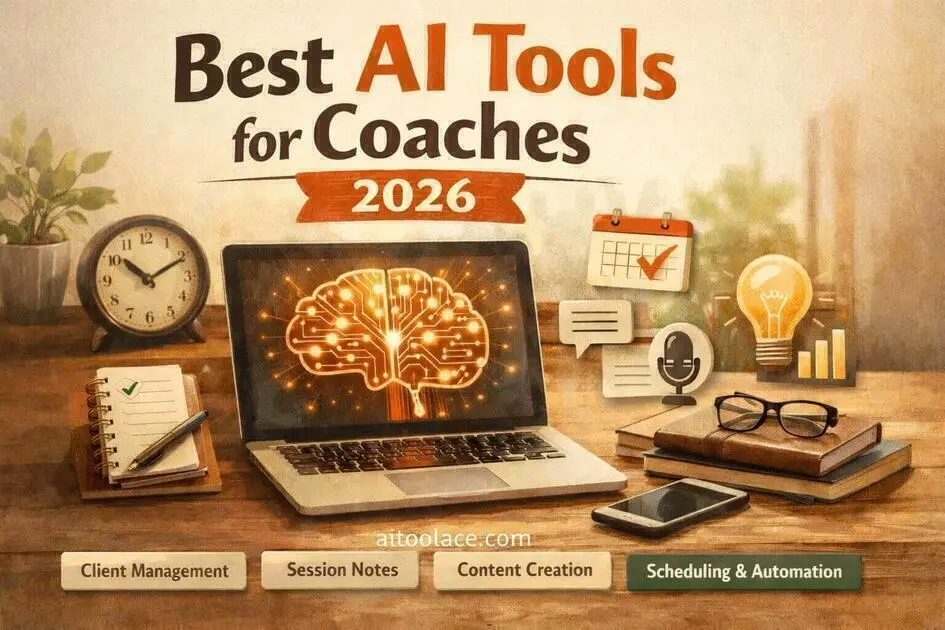
Best AI Tools for Coaches (Save 5–10 Hours Per Week)
Quick Navigation: How I Tested • Comparison Table • Risks • Best Tools • FAQ
Coaching is a relationship business — but running a coaching practice is an operations business. Scheduling sessions, sending follow-ups, writing content, documenting progress, managing payments, creating programs, and marketing your services all compete for the same limited time. Most coaches didn’t get into coaching to do admin work, but admin work is what fills the gaps between sessions.
AI tools help by handling the operational tasks that follow predictable patterns — drafting content, organizing notes, automating scheduling workflows, creating marketing materials. They don’t replace the coaching itself, which depends on human connection, empathy, and judgment. But they reduce the time spent on everything around the coaching, which means more capacity for actual client work or business growth.
The approach is similar to how consultants and freelancers use AI — automate the admin, keep the relationship work human.
Quick answer: CoachAccountable is the strongest dedicated coaching platform. Claude is the most useful tool for content creation and program design. Otter.ai handles session documentation. Canva AI covers marketing visuals.
How I Tested These Tools
I evaluated each tool based on what matters for coaches specifically:
- Client workflow fit — does the tool integrate into a coaching practice or require adapting your practice to the tool
- Content quality — is the AI output appropriate for coaching contexts where authenticity and personal voice matter
- Session documentation — can it capture session content accurately without disrupting the coaching dynamic
- Marketing utility — does it help attract clients without making your brand look generic
- Solo practitioner viability — is it practical for a coach working alone, not just for large coaching organizations
I reviewed each tool’s features, tested the interfaces, and consulted feedback from active coaches. I did not fabricate time-saved statistics or invent revenue projections.
Comparison Table
| Tool | Best For | Key Strength | Pricing |
|---|---|---|---|
| CoachAccountable | Client management | All-in-one coaching practice platform | Paid |
| Paperbell | Booking and payments | Simple onboarding and scheduling flow | Freemium |
| Claude | Content and program creation | High-quality writing for coaching contexts | Freemium |
| Otter.ai | Session notes | Real-time transcription with speaker ID | Freemium |
| Canva AI | Marketing materials | Professional visuals without design skills | Freemium |
| Zapier AI | Workflow automation | Connects tools and automates admin tasks | Freemium + Paid |
| Descript | Video content | Text-based video editing for courses | Freemium |
Best AI Tools for Coaches
CoachAccountable — Best for Client Management
CoachAccountable is built specifically for coaching practices. It handles the full client lifecycle — scheduling, session notes, homework assignments, progress tracking, and payments — in one platform designed around how coaching relationships actually work.
What it does well:
- manages the entire client relationship in one place — scheduling, notes, assignments, progress tracking, invoicing
- provides a client-facing portal where clients can see their progress, upcoming sessions, and assigned work
- automates reminders, follow-ups, and check-ins between sessions without manual effort
- designed specifically for coaching workflows, not adapted from generic project management or CRM tools
Where it falls short: CoachAccountable is a dedicated coaching platform, which means it’s great at what it does but doesn’t help with marketing, content creation, or anything outside the client management workflow. The interface is functional but not particularly modern — it prioritizes capability over aesthetics. And because it’s a specialized tool, the user community is smaller than mainstream platforms, which means fewer templates, integrations, and community resources.
Best for: coaches who manage multiple clients and want a purpose-built platform instead of cobbling together generic tools.
Paperbell — Best for Booking and Payments
Paperbell simplifies the client acquisition process into one link — scheduling, contracts, payments, and onboarding happen automatically when a client books. For coaches who lose potential clients to friction in the booking process, this directly addresses the problem.
What it does well:
- creates a single link that handles booking, payment, and contract signing in one flow
- automates the onboarding process so new clients receive welcome materials, questionnaires, and session prep automatically
- manages packages, subscriptions, and payment plans without separate invoicing tools
- provides a clean, professional booking experience that reflects well on your practice
Where it falls short: Paperbell handles the acquisition and booking workflow well but doesn’t manage the ongoing coaching relationship — session notes, progress tracking, and homework assignments aren’t its strength. If you need comprehensive client management, you’ll need CoachAccountable or a similar tool alongside Paperbell. The customization options are also limited — the flow is streamlined but rigid.
Best for: coaches who want a simple, frictionless way for clients to book and pay, without complex setup.
Claude — Best for Content and Program Creation
Coaching practices run on content — program outlines, workshop materials, email sequences, social media posts, client handouts, lead magnets. Claude produces the highest quality written content for coaching contexts, where tone matters as much as information.
What it does well:
- creates structured coaching programs and workshop outlines with clear learning objectives and progression
- writes client-facing content (emails, welcome materials, progress summaries) with an appropriate blend of professionalism and warmth
- generates marketing content (blog posts, social posts, email sequences) that sounds like a coach, not a marketer
- helps develop frameworks, models, and methodologies by organizing your thinking into clear structures
Where it falls short: Claude doesn’t know your coaching methodology, your clients, or your voice. The content it produces is well-structured and competent but generic — it reads like “a coach” rather than like you specifically. Every piece of content needs editing to add your personality, your stories, and your specific approach. Coaches who publish AI-generated content without personalization risk sounding identical to every other coach using the same tools.
For writing client communications specifically, see AI Tools for Writing Client Emails.
Best for: coaches who create content regularly (programs, courses, emails, social posts) and want faster first drafts that they can personalize.
Otter.ai — Best for Session Notes
Taking notes during a coaching session is distracting — for both the coach and the client. Otter.ai transcribes sessions in real time, creating a searchable record that you can review afterward to write summaries, identify patterns, and track progress.
What it does well:
- transcribes sessions in real time with speaker identification so you know who said what
- creates searchable archives of all sessions, which helps track client progress over time
- generates summaries that capture key discussion points and potential action items
- allows you to be fully present during sessions instead of splitting attention between listening and writing
Where it falls short: Recording coaching sessions raises immediate confidentiality concerns. Clients must give explicit consent, and you need to understand where the transcription data is stored and processed. Some clients will be uncomfortable with recording, which can affect the openness of the conversation. The transcription accuracy also drops with emotional speech patterns, overlapping talk, or non-standard vocabulary — all common in coaching contexts. And the AI summaries capture what was said but miss the emotional undertones that are often the most important part of a coaching conversation.
Best for: coaches who want accurate session documentation without sacrificing presence during conversations — with appropriate consent and privacy measures in place.
Canva AI — Best for Marketing Materials
Coaches need visual content for social media, lead magnets, workshop slides, and marketing materials. Canva AI makes it possible to create professional-looking visuals without design skills or a design budget.
What it does well:
- provides coaching-relevant templates for social media posts, lead magnets, presentation slides, and promotional materials
- maintains brand consistency through saved brand kits (colors, fonts, logos)
- includes AI features like text suggestions, layout recommendations, and background removal
- enables batch creation so you can produce a week of social content efficiently
Where it falls short: Canva’s templates are widely used, which means your visual content can look similar to other coaches’ materials. The AI suggestions are safe and conventional rather than distinctive. For coaches whose brand depends on visual differentiation, Canva alone won’t create a unique identity. And visual marketing is only one piece of the growth puzzle — great graphics don’t compensate for weak messaging or unclear positioning.
For broader marketing strategies, see Best AI Tools for Marketers.
Best for: coaches who need regular visual content for social media and marketing without a design budget.
Zapier AI — Best for Workflow Automation
As a coaching practice grows, manual processes accumulate — sending confirmation emails, updating client records, syncing calendar events, following up after sessions. Zapier connects your tools and automates these repetitive workflows.
What it does well:
- connects coaching tools (calendar, email, CRM, payment platform) and automates data flow between them
- eliminates manual tasks like sending post-session follow-ups, updating spreadsheets, or triggering reminder sequences
- AI-assisted setup lets you describe automations in plain language
- reduces the operational overhead that grows with each new client
Where it falls short: Zapier handles simple automations well but struggles with complex conditional logic. The free tier is limited, and active automations on paid plans add up. When automations break (and they do when connected tools update), troubleshooting requires more technical understanding than most coaches have. There’s also a risk of over-automating — clients can tell when follow-ups and communications are automated, which can undermine the personal touch that coaching depends on.
Best for: coaches with growing practices who want to automate admin tasks without hiring an assistant.
Descript — Best for Video Content
Many coaches create video content — course modules, YouTube videos, promotional clips, social media content. Descript simplifies video editing by letting you edit the video through the transcript — delete a sentence and the corresponding video is cut.
What it does well:
- makes video editing accessible to coaches who aren’t video editors
- transcribes video content and lets you edit by manipulating the text
- removes filler words automatically for cleaner video output
- supports course creation where multiple modules need consistent editing
Where it falls short: Text-based editing works well for talking-head content (which is most coaching video) but is limited for anything visually complex. The editing is simple but not sophisticated — you can cut and clean up, but advanced effects, transitions, and overlays require traditional editing tools. And creating video content is a significant time investment regardless of the editing tool — Descript makes editing faster, but planning, recording, and publishing still take time.
Best for: coaches who create video content (courses, YouTube, social clips) and want simpler editing without learning professional video software.
The Real Risks of Using AI in Coaching
1. Authenticity Erosion
Coaching is fundamentally personal. Clients choose you for your perspective, your experience, and your approach — not for generic advice they could get from any AI tool themselves. AI-generated content that isn’t personalized with your voice, your stories, and your methodology makes you interchangeable with every other coach using the same tools. Always rewrite AI output in your own voice.
2. Client Confidentiality
Coaching sessions involve deeply personal information — career struggles, relationship issues, health concerns, financial worries. Recording or transcribing sessions requires explicit, informed consent. Uploading session content to AI tools with unclear privacy policies is a serious breach of trust. Understand where your data goes before using any tool with client-sensitive information.
3. Over-Automation of Relationships
Automated follow-ups and check-ins are efficient, but coaching clients can tell the difference between a personal message and an automated one. The convenience of automation can gradually erode the personal connection that makes coaching valuable. Automate the admin (scheduling, payments, reminders), but keep the relationship communication genuinely personal.
4. Generic Frameworks Replacing Custom Guidance
AI can generate coaching frameworks, programs, and methodologies quickly — but they’re based on general patterns, not on your specific client’s situation. The value you provide as a coach is customization, not templates. Use AI-generated frameworks as starting structures, then adapt them to each client’s unique needs and context.
Which AI Tool Should You Choose?
- Full client management → CoachAccountable (purpose-built coaching platform)
- Simple booking and payments → Paperbell (frictionless client acquisition)
- Content and program creation → Claude (high-quality writing for coaching contexts)
- Session documentation → Otter.ai (transcription without disrupting sessions)
- Marketing visuals → Canva AI (professional design without a designer)
- Workflow automation → Zapier AI (connect tools and eliminate manual admin)
- Video courses and content → Descript (simple video editing)
Best free stack for coaches starting out: Claude + Canva + Otter. This covers content creation, visual marketing, and session documentation at zero cost. Add CoachAccountable or Paperbell when your client volume justifies the investment.
Frequently Asked Questions
Will AI make my coaching feel inauthentic?
Only if you use it lazily. AI-generated content that isn’t edited with your voice, your stories, and your specific perspective will feel generic — and clients will notice. The coaches who use AI well treat it as a first-draft tool, not a finished-product tool. Your value is in the personalization and human connection, not in the format or structure.
Do I need client consent to record sessions?
Yes, always. Recording coaching sessions without explicit, informed consent is both an ethical violation and potentially illegal depending on your jurisdiction. Explain what you’re recording, why, how it will be stored, and who can access it. Some clients will decline — respect that decision.
Can AI actually create coaching programs?
AI can generate program structures, session outlines, and content frameworks quickly. But these are generic starting points, not finished programs. The value of a coaching program lies in how it’s customized to your methodology and your clients’ needs. Use AI for the structure; add your expertise for the substance.
How much time can AI realistically save?
This depends on how much time you currently spend on admin and content. Coaches who spend significant time on scheduling, content creation, and documentation typically recover several hours per week. The savings come from specific tasks — faster content drafts, automated scheduling, transcribed session notes — not from a magical overall speedup.
What should I automate and what should stay personal?
Automate scheduling, payment processing, reminders, and routine follow-up logistics. Keep personal the initial client assessment, session interactions, progress discussions, and any communication where the client expects to hear from you specifically. The test is simple: would the client care if they knew this was automated? If yes, keep it personal.
Is AI appropriate for all types of coaching?
AI tools for practice management and content creation are appropriate for virtually all coaching specialties. AI tools that record or transcribe sessions require more careful consideration in therapeutic coaching, trauma-informed coaching, or any context where confidentiality and emotional safety are paramount. Always prioritize the client relationship over operational efficiency.
Related AI Tools Guides
- Best AI Tools for Consultants
- Best AI Tools for Freelancers
- Best AI Tools for Personal Trainers
- Best AI Tools for Therapists
- Best AI Tools for Marketers
Explore all AI tools → Browse by profession and use case
Last updated: April 2026