Skip to content
Best AI Tools for Data Entry Automation (Eliminate Manual Input in 2026)
Quick Navigation: How I Tested • Comparison Table • Risks • Best Tools • FAQ
Data entry is the most wasteful use of human time in business. Someone reads a document, finds the relevant information, and types it into another system. The same person does this hundreds of times per day — invoices into accounting software, forms into databases, emails into CRM records, receipts into expense reports. The work requires attention but not intelligence. It’s exhausting, error-prone, and entirely automatable.
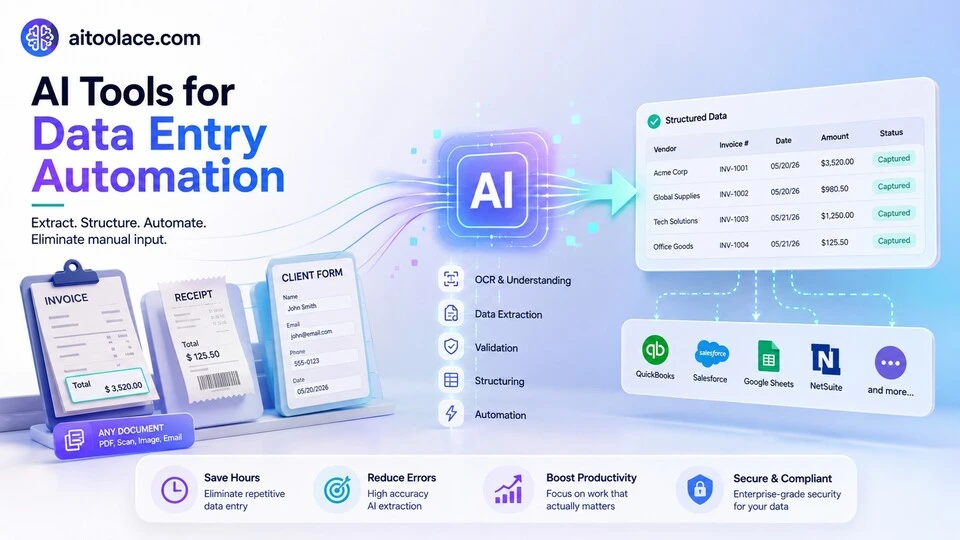
AI data entry tools eliminate this manual transfer by reading documents, understanding their content, extracting the relevant data, and entering it into the target system automatically. An invoice arrives by email, the AI reads the vendor name, amount, line items, and due date, and populates your accounting software — without anyone typing anything.
The business case is straightforward: humans make errors at a rate that increases with volume and fatigue. AI extraction accuracy is consistent regardless of volume. And the cost per document processed by AI is a fraction of the cost per document processed manually. For businesses that process significant document volumes, automation pays for itself quickly.
For document management beyond data entry, Best AI Tools for Document Management covers the broader workflow. For spreadsheet data work, Best AI Tools for Spreadsheets & Excel addresses data in tabular formats.
Quick answer: ABBYY Vantage is the strongest intelligent document processing platform. Rossum is best for invoice and financial document extraction. Zapier with AI is the most accessible tool for automating data transfer between business applications.
How I Tested These Tools
I evaluated each tool based on what matters for data entry automation:
- Extraction accuracy — does it correctly identify and extract the right data from documents
- Document variety — can it handle different document formats, layouts, and types without custom configuration for each
- System integration — does it connect to the systems where extracted data needs to go (ERP, CRM, accounting)
- Error handling — how does it manage uncertain extractions and documents it can’t process confidently
- Setup effort — how much configuration is needed before the automation starts working
I reviewed each tool’s features, tested extraction across different document types, and consulted feedback from operations managers and IT professionals. I did not fabricate accuracy percentages or invent time-saving statistics.
Comparison Table
| Tool | Best For | Key Strength | Pricing |
|---|---|---|---|
| ABBYY Vantage | Intelligent document processing | Most accurate extraction across document types | Paid |
| Rossum | Invoice processing | Specialized AI for financial document extraction | Paid |
| Zapier + AI | App-to-app data transfer | Connect business apps and automate data flow without coding | Freemium |
| Docsumo | Document to data | Convert documents into structured data with high accuracy | Paid |
| Parseur | Email data extraction | Extract data from incoming emails automatically | Freemium |
| Claude | Ad-hoc data extraction | Extract and structure data from any document through conversation | Freemium |
Best AI Tools for Data Entry Automation
ABBYY Vantage — Best Intelligent Document Processing
ABBYY Vantage is the most capable platform for extracting data from documents at scale. It reads invoices, purchase orders, receipts, forms, contracts, IDs, and dozens of other document types — understanding the content regardless of layout, format, or language. For organizations that process high volumes of varied documents, ABBYY provides the deepest extraction intelligence available.
What it does well:
- extracts data from virtually any document type — invoices, purchase orders, receipts, forms, contracts, IDs, bank statements
- handles layout variation intelligently — different invoices from different vendors are processed without creating a template for each
- provides pre-trained extraction skills for common document types that work out of the box with high accuracy
- supports OCR for scanned paper documents and handwritten text alongside digital documents
- integrates with major business systems (SAP, Oracle, Microsoft, Salesforce) through pre-built connectors
Where it falls short: ABBYY Vantage is enterprise software designed for high-volume document processing. Small businesses processing a few dozen documents per week don’t need this level of capability and can’t justify the cost. Implementation requires technical resources — connecting to your systems, configuring extraction rules, and training the AI on your specific document types takes effort. The accuracy is high for common document types but drops for unusual or poorly structured documents. And ABBYY processes documents but doesn’t manage the business workflows that follow — you need separate tools for approval routing, exception handling, and process management.
For document management broadly, see Best AI Tools for Document Management.
Best for: organizations that process hundreds or thousands of documents daily and need to extract data accurately at scale — accounting departments, logistics companies, insurance processors, and healthcare organizations.
Rossum — Best for Invoice Processing
Rossum specializes in extracting data from invoices and financial documents. Instead of trying to handle every document type, Rossum focuses on the documents that accounts payable teams process most frequently — invoices, credit notes, purchase orders, and delivery notes — and handles them with the highest accuracy.
What it does well:
- extracts invoice data (vendor, amount, line items, tax, due date, PO number) with high accuracy across varied invoice formats
- learns from corrections — when you fix an extraction error, Rossum applies the correction to future documents from the same vendor
- provides a validation interface where staff review and approve extractions before they enter the accounting system
- handles multi-page invoices, multi-currency invoices, and invoices in multiple languages
- integrates with major ERP and accounting systems for automated data flow
Where it falls short: Rossum is invoice-focused — if you need to extract data from contracts, forms, IDs, or other document types, you need additional tools. The accuracy is high for standard invoices but can struggle with invoices that use unusual layouts, embed tables in images, or combine multiple document types in one file. The validation step is important but adds human time — the automation isn’t fully hands-off. And the pricing is based on document volume, which makes the per-document cost important to evaluate against your current manual processing cost.
For accounting tools, see Best AI Tools for Accountants.
Best for: accounts payable departments that process high volumes of vendor invoices and want to automate the data entry that currently requires manual keying into accounting software.
Zapier + AI — Best for App-to-App Data Transfer
Not all data entry involves documents. Much of it is transferring information between applications — a new lead in your CRM needs to be added to your email list, a new order needs to create a task in your project management tool, a form submission needs to update a spreadsheet. Zapier automates these transfers with AI that helps you set up the connections without coding.
What it does well:
- connects over 6,000 applications and automates data transfer between them without coding
- AI helps you describe the automation you want in plain language and configures it for you
- handles conditional logic — “if the lead is from the US, add to list A; if from Europe, add to list B”
- supports multi-step workflows — one trigger can update multiple systems sequentially
- provides a free tier that handles basic automations for small businesses
Where it falls short: Zapier transfers structured data between applications — it doesn’t extract data from unstructured documents like invoices or forms. The AI setup assistance is helpful but automations still require understanding what data goes where and why. Complex workflows with many conditions can be difficult to debug when they don’t work as expected. And the free tier limits the number of automations and executions, with costs scaling quickly for active businesses.
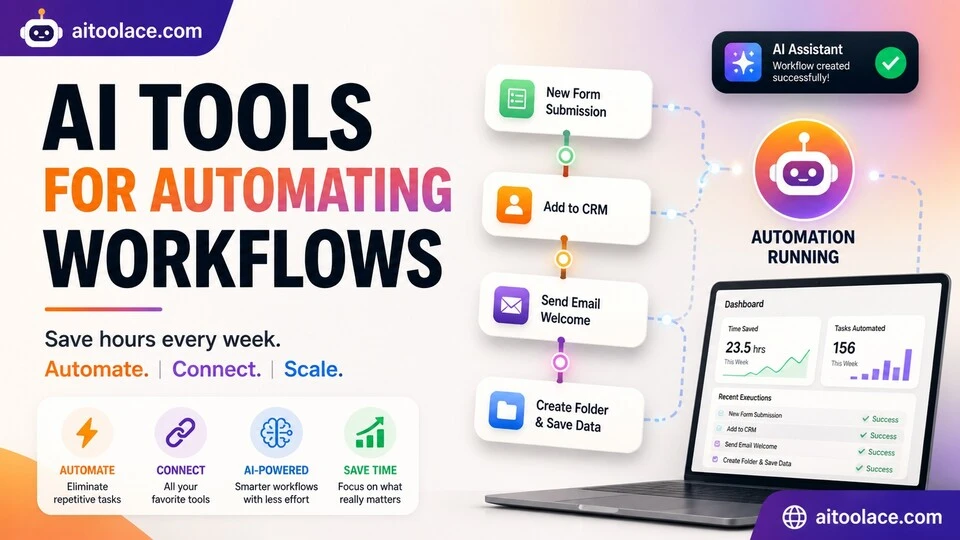
For workflow automation broadly, see Best AI Tools for Automating Workflows.
Best for: businesses that manually transfer data between applications (CRM to email, forms to spreadsheets, orders to project management) and want to eliminate that repetitive work.
Docsumo — Best Document to Structured Data
Docsumo converts unstructured documents (invoices, bank statements, insurance forms, tax documents) into structured, usable data. Unlike general OCR that just reads text, Docsumo understands document structure — identifying fields, tables, and data relationships within the document.
What it does well:
- converts unstructured documents into structured JSON or spreadsheet data ready for import into business systems
- provides pre-trained models for common document types — invoices, bank statements, tax forms, insurance documents
- handles tables within documents accurately — extracting line items, columns, and relationships rather than just text
- supports API integration so document processing can be embedded into your existing workflows
- provides a review interface for human validation of extracted data before it enters production systems
Where it falls short: Docsumo works well for document types it has been trained on — introducing a completely new document type requires training or configuration. The accuracy on handwritten documents or poor-quality scans is lower than on clean digital documents. The platform is designed for developers and operations teams who can integrate it via API — non-technical users need simpler tools. And like all extraction tools, the value scales with volume — processing a few documents per week doesn’t justify the setup effort.
For data analysis, see Best AI Tools for Data Analysts.
Best for: businesses that receive structured documents (invoices, bank statements, forms) in high volumes and need the data extracted into their systems accurately and consistently.
Parseur — Best for Email Data Extraction
Much of the data businesses need to enter arrives by email — order confirmations, booking notifications, shipping alerts, lead notifications, form submissions, and automated reports. Parseur monitors your email inbox and automatically extracts structured data from incoming messages, pushing it to your spreadsheets, CRM, or other business tools.
What it does well:
- monitors email inboxes and extracts structured data from incoming messages automatically
- handles recurring email formats — order confirmations from the same platform, booking notifications from the same system
- supports data extraction from email body text and attached PDFs
- pushes extracted data to Google Sheets, Excel, CRM systems, and other tools via integrations
- simple setup — highlight the data you want extracted from a sample email, and Parseur applies the pattern to future messages
Where it falls short: Parseur works best with recurring, consistently formatted emails. One-off emails with unique formats require individual configuration. The extraction depends on email format consistency — when a sender changes their email template, the extraction may break until you update the rules. And Parseur handles email data specifically — documents from other sources (uploads, scans, file shares) need different tools.
For email management, see Best AI Tools for Email Management.
Best for: businesses that receive high volumes of structured emails (order notifications, booking confirmations, lead alerts) and manually copy data from those emails into other systems.
Claude — Best for Ad-Hoc Data Extraction
Not every data entry task fits neatly into an automated pipeline. Sometimes you have a one-off document, an unusual format, or a small batch that doesn’t justify setting up automation. Claude handles these ad-hoc situations — paste a document, describe what data you need extracted, and get structured output you can use immediately.
What it does well:
- extracts data from any document format — paste text, upload PDFs, describe what you need, and get structured output
- handles unusual and one-off document types without any setup or configuration
- structures output in any format you specify — tables, CSV, JSON, or organized lists
- understands context — “extract all the action items from these meeting notes” or “pull the pricing from each competitor’s page”
- adapts to your needs through conversation — “also include the dates” or “separate the US and international entries”
Where it falls short: Claude handles ad-hoc extraction well but isn’t designed for high-volume automated processing. Each extraction requires a conversation — there’s no batch processing or inbox monitoring. Claude can’t connect to your systems directly — you get extracted data that you then paste or import elsewhere. And for recurring document types processed daily, dedicated tools (ABBYY, Rossum, Parseur) are more efficient than manual AI conversations.
For spreadsheet data work, see Best AI Tools for Spreadsheets & Excel.
Best for: professionals who encounter varied data extraction needs — pulling data from one-off documents, unusual formats, or small batches where setting up automation isn’t worth the effort.
The Real Risks of AI Data Entry
1. Silent Errors at Scale
When AI extracts data incorrectly and enters it into your systems automatically, the errors propagate silently. A wrong invoice amount, a transposed account number, or a misread date doesn’t trigger an alarm — it just enters the system as if it were correct. Implement validation checks and periodic audits of AI-extracted data, especially during the initial deployment period.
2. Over-Automation Without Exception Handling
Automated data entry works well for standard documents. Unusual documents — handwritten notes, damaged scans, mixed-language documents, or formats the AI hasn’t seen — need human handling. Automation without a clear exception path means unusual documents either get processed incorrectly or get stuck with no one assigned to handle them. Design your automation with explicit exception handling from the start.
3. Data Quality Downstream
AI extraction accuracy of 95% sounds good until you consider the downstream impact of the 5% that’s wrong. If extracted data feeds financial reports, customer records, or operational decisions, even small error rates matter. The acceptable accuracy threshold depends on what the data is used for — financial data needs higher accuracy than marketing data.
4. Job Displacement Without Transition Planning
Data entry automation directly reduces the need for manual data entry staff. Organizations that implement automation without transition planning — retraining, redeployment, or gradual phase-in — create unnecessary disruption. Plan the human impact of automation as carefully as the technical implementation.
Which AI Tool Should You Choose?
- Enterprise document processing → ABBYY Vantage (most accurate across all document types)
- Invoice extraction → Rossum (specialized for financial document processing)
- App-to-app data transfer → Zapier + AI (connect applications without coding)
- Document to structured data → Docsumo (convert documents to JSON/spreadsheet data)
- Email data extraction → Parseur (extract data from recurring email formats)
- Ad-hoc extraction → Claude (one-off and unusual document extraction)
Best starting approach: Identify your highest-volume data entry task. If it’s invoices, evaluate Rossum. If it’s transferring data between apps, start with Zapier (free tier). If it’s varied documents at scale, evaluate ABBYY. Use Claude for everything that doesn’t fit neatly into a dedicated tool.
Frequently Asked Questions
What is the best AI tool for data entry automation?
ABBYY Vantage is the most capable for varied document processing at scale. Rossum is best for invoice-specific extraction. Zapier is best for app-to-app data transfer. The right choice depends on what type of data entry you’re automating — document extraction, application data transfer, or email processing.
How accurate is AI data extraction?
Accuracy varies by document type, quality, and tool. For well-structured digital documents (typed invoices, standard forms), extraction accuracy typically exceeds 95%. For poor-quality scans, handwritten documents, or unusual formats, accuracy drops significantly. Always implement validation for critical data regardless of the tool’s claimed accuracy.
Can AI completely eliminate manual data entry?
For standard, recurring document types in consistent formats, AI can handle the vast majority of data entry automatically. Exception handling (unusual documents, low-confidence extractions, new formats) still requires human intervention. The goal is typically 80-90% automation with human handling of exceptions — not 100% automation.
How long does it take to set up data entry automation?
Simple Zapier automations take minutes to hours. Email extraction with Parseur takes hours to days. Document processing with ABBYY or Rossum takes days to weeks for implementation, integration, and training. The setup effort is proportional to the complexity and volume of documents being processed.
Is data entry automation worth it for small businesses?
If you spend more than a few hours per week on manual data entry, automation is worth evaluating. Start with free or low-cost tools (Zapier free tier, Parseur free tier, Claude) for your highest-volume tasks. The ROI calculation is simple: compare the tool cost against the hours of staff time it replaces.
How do I handle errors in automated data entry?
Implement three layers: prevention (train the AI on your document types), validation (human review for low-confidence extractions), and detection (periodic audits comparing extracted data against source documents). Critical financial data should always include a validation step before it enters production systems.
Related AI Tools Guides
- Best AI Tools for Document Management
- Best AI Tools for Automating Workflows
- Best AI Tools for Spreadsheets & Excel
- Best AI Tools for Accountants
- Best AI Tools for Invoicing & Billing
Explore all AI tools → Browse by profession and use case
Last updated: July 2026