Skip to content
Best AI Tools for E-Learning & Course Creation (Build Better Courses Faster in 2026)
Quick Navigation: How I Tested • Comparison Table • Risks • Best Tools • FAQ
The gap between knowing something and teaching it effectively is larger than most experts realize. Having deep expertise in a subject doesn’t automatically mean you can structure that knowledge into a learning experience that actually helps people learn. Course creation requires instructional design — understanding how people learn, structuring content in progressive difficulty, creating assessments that verify understanding, and producing materials that keep learners engaged.
Most course creators aren’t trained instructional designers. They’re experts who want to share what they know — consultants, professionals, coaches, educators, and subject matter specialists. The creation process (outlining, scripting, recording, editing, building assessments, setting up the platform) takes so much time that many courses never get finished. And the courses that do launch often follow ineffective structures because the creator focused on content rather than learning design.
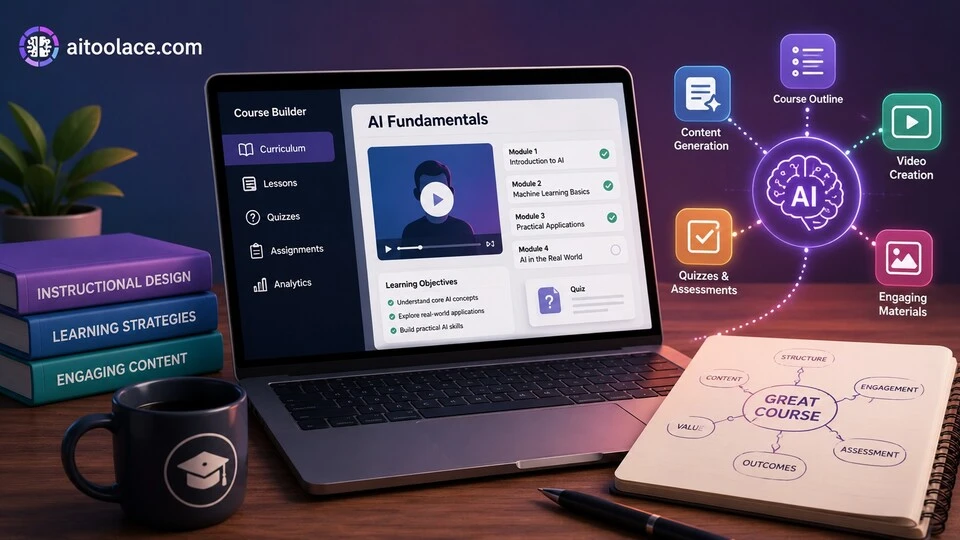
AI tools address both problems. They help structure content according to learning science principles. They generate first drafts of lessons, scripts, and assessments. They produce supporting materials (slides, quizzes, summaries) from your content. And they accelerate the production process from months to weeks.
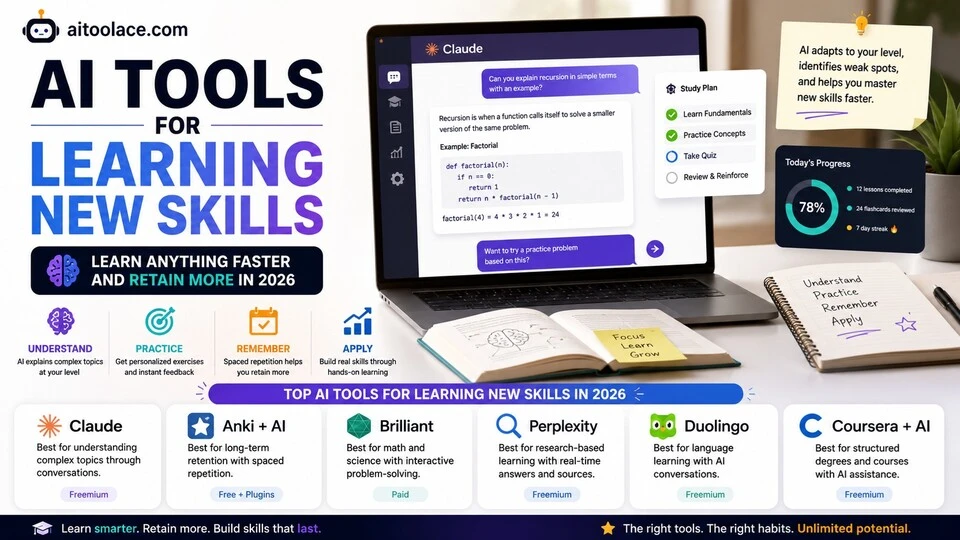
For learning tools from the student perspective, Best AI Tools for Students covers the learner side. For self-directed learning, Best AI Tools for Learning New Skills addresses individual skill development.
Quick answer: Claude is the most useful tool for curriculum design and lesson scripting. Teachable with AI features is the best course platform for independent creators. Synthesia is strongest for creating professional video lessons without filming.
How I Tested These Tools
I evaluated each tool based on what matters for effective course creation:
- Curriculum design — does the tool help structure content into a progression that actually produces learning
- Content generation — can it produce lesson drafts, scripts, and supporting materials efficiently
- Assessment creation — does it generate quizzes and exercises that verify genuine understanding
- Production quality — does the output look and sound professional enough for paid courses
- Platform integration — does it work with the learning management systems where courses are delivered
I reviewed each tool’s features, tested content generation across different subject areas, and consulted feedback from course creators and instructional designers. I did not fabricate completion rate statistics or invent learner outcome metrics.
Comparison Table
| Tool | Best For | Key Strength | Pricing |
|---|---|---|---|
| Claude | Curriculum design and scripting | Strongest reasoning for structuring learning experiences | Freemium |
| Teachable | Course platform for creators | All-in-one course building and selling with AI features | Paid |
| Synthesia | AI video lessons | Professional video from text without camera or studio | Paid |
| Articulate Rise | Corporate e-learning | Interactive e-learning modules for workplace training | Paid |
| Canva AI | Course visuals | Slides, worksheets, and visual materials for courses | Freemium |
| Quizgecko | Assessment generation | AI-powered quiz and test creation from any content | Freemium |
Best AI Tools for E-Learning & Course Creation
Claude — Best for Curriculum Design and Lesson Scripting
The most important part of course creation isn’t production — it’s design. What to teach, in what order, at what depth, with what examples, and how to verify learning. Claude handles this design phase better than any other tool because it understands learning principles and can structure content progressively rather than just generating material randomly.
What it does well:
- structures course curricula with logical progression — from foundational concepts through intermediate application to advanced mastery
- writes lesson scripts that explain concepts clearly with appropriate examples, analogies, and practice opportunities
- generates assessments that test genuine understanding rather than simple recall — application questions, case studies, and scenario-based problems
- creates learning objectives that are specific and measurable — not vague goals like “understand marketing” but concrete outcomes like “write a positioning statement for a B2B product”
- adapts content complexity for different audiences — a course for beginners requires different structuring than one for professionals
Where it falls short: Claude designs and writes content but doesn’t produce finished course materials. You still need recording, editing, platform setup, and visual production. Claude’s instructional design is based on general learning principles — subject-specific pedagogical approaches (how to teach coding versus how to teach leadership) benefit from domain expertise alongside AI assistance. And Claude generates each lesson independently — maintaining narrative continuity and avoiding repetition across a full course requires careful human oversight.
For writing course content beyond lesson scripts, see Best AI Writing Tools.
Best for: course creators who need help with the hardest part — structuring their expertise into a learning experience that actually teaches. Especially valuable for first-time course creators who know their subject but not instructional design.
Teachable — Best Course Platform for Independent Creators
Teachable provides everything you need to build, host, and sell a course — course builder, student management, payment processing, and marketing tools. Its AI features help generate course outlines, lesson descriptions, and marketing copy — reducing the non-teaching work that delays course launches.
What it does well:
- provides a complete course platform — build, host, sell, and manage courses in one tool
- AI generates course outlines and lesson structures from topic descriptions
- handles payment processing, student enrollment, and completion certificates automatically
- includes marketing tools — sales pages, email campaigns, and coupon management
- supports multiple content types — video, text, downloads, quizzes — in a clean learner interface
Where it falls short: Teachable’s AI features are helpful shortcuts but don’t replace thoughtful course design — the generated outlines are starting points that need significant refinement. The platform is designed for individual course creators and small businesses — enterprises with complex training needs outgrow it. Customization options are limited compared to self-hosted solutions. And Teachable takes a transaction fee on course sales (depending on your plan), which affects margins for high-volume courses.
For marketing your course, see Best AI Tools for Content Creators.
Best for: independent course creators, coaches, and consultants who want to launch online courses without building technical infrastructure — especially those selling directly to consumers.
Synthesia — Best for AI Video Lessons
Video is the dominant format for online courses, but producing professional video requires a camera, lighting, microphone, location, and editing skills — plus the confidence to perform on camera. Synthesia generates professional video from text scripts using AI avatars, eliminating the need for filming while producing content that looks like a talking-head presentation.
What it does well:
- generates professional-looking video lessons from text scripts — no camera, studio, or filming required
- provides diverse AI avatars that present content naturally in over 120 languages
- produces consistent video quality across all lessons — no variation in lighting, audio, or presentation quality
- enables rapid content updates — change the script and regenerate the video without re-filming
- supports custom avatars created from your own appearance for brand consistency
Where it falls short: AI avatar videos look professional but feel different from genuine human presentations. Experienced course consumers recognize AI-generated presenters, which can affect perceived authenticity and instructor credibility. The avatars speak clearly but lack the spontaneity, humor, and personality that the best human instructors bring. AI video works well for informational content (tutorials, procedures, explanations) but less well for inspirational or emotionally engaging content. And the cost per video minute is higher than recording yourself once you have basic filming equipment.
For voiceover as an alternative to video, see Best AI Tools for Voiceover & Audio Production.
Best for: course creators who need professional video content but can’t or don’t want to film themselves — especially for corporate training, multilingual courses, and content that needs frequent updating.
Articulate Rise — Best for Corporate E-Learning
Articulate Rise creates interactive, responsive e-learning modules designed for workplace training. Its authoring tools let you build lessons with knowledge checks, branching scenarios, and interactive elements — the engaging format that corporate learners expect and that compliance training requires.
What it does well:
- creates responsive, interactive e-learning modules that work on any device
- provides pre-built interaction templates — flashcards, sorting activities, labeled graphics, timeline exercises, branching scenarios
- supports SCORM and xAPI standards for integration with corporate learning management systems (LMS)
- includes Storyline integration for advanced interactive content beyond what Rise handles natively
- collaborative authoring lets subject matter experts and instructional designers work together
Where it falls short: Articulate Rise is designed for corporate training, not for course creators selling to consumers. The output format is SCORM/xAPI modules delivered through an LMS, not standalone courses on platforms like Teachable or Udemy. The AI features are more limited than Claude for content generation — Rise provides templates and interaction types, but the actual content still needs to be written. And the pricing (Articulate 360 subscription) is designed for organizations with ongoing training needs, not for one-time course projects.
For remote training delivery, see Best AI Tools for Remote Teams.
Best for: learning and development teams creating corporate training modules — compliance training, onboarding programs, product training, and professional development courses delivered through organizational LMS platforms.
Canva AI — Best for Course Visuals
Courses need visual materials — slide presentations, worksheets, infographics, certificates, social media promotion, and course thumbnails. Canva AI provides templates for all of these with design intelligence that maintains visual consistency across your course materials.
What it does well:
- provides templates for course-specific materials — slides, worksheets, certificates, promotional graphics, social media posts
- maintains visual consistency across all course materials through brand kits
- AI features suggest layouts, generate text, and enhance images for professional-looking output
- supports presentation mode for live teaching alongside downloadable materials for self-paced courses
- enables rapid creation of supplementary materials — cheat sheets, summary cards, action plans
Where it falls short: Canva creates visual materials but doesn’t create course content — slides with beautiful design but weak instructional content don’t produce learning. The templates are widely used, which can make your course materials look similar to other courses. And Canva’s AI helps with design but doesn’t understand instructional design principles — it makes things look good, not learn good.
For broader design tools, see Best AI Tools for Designers.
Best for: course creators who need professional-looking visual materials without design skills — especially for slide-based courses, downloadable worksheets, and course marketing.
Quizgecko — Best for Assessment Generation
Assessments are where learning is verified — and where most course creators struggle. Writing good quiz questions that test genuine understanding (not just recall) is a skill most experts don’t have. Quizgecko generates quizzes from your course content, creating multiple question types that assess different levels of understanding.
What it does well:
- generates quiz questions from any content — paste a lesson, upload a document, or provide a URL and get relevant questions
- creates multiple question types — multiple choice, true/false, short answer, fill-in-the-blank — from the same content
- adjusts difficulty level so you can create assessments appropriate for different learning stages
- generates answer explanations that help learners understand why the correct answer is correct
- exports quizzes in formats compatible with major LMS platforms
Where it falls short: AI-generated questions tend toward factual recall rather than application and analysis. The most valuable assessment questions ask learners to apply concepts to new situations — “given this scenario, what would you recommend?” — which AI generates less reliably than straightforward knowledge questions. Generated questions need review for accuracy, clarity, and relevance — some will be poorly worded or test trivial details. And Quizgecko creates questions but doesn’t evaluate whether your overall assessment strategy measures the learning objectives effectively.
For learning broadly, see Best AI Tools for Learning New Skills.
Best for: course creators who need to build quizzes and assessments quickly — especially for courses with frequent knowledge checks or certification requirements.
The Real Risks of AI in Course Creation
1. Speed Over Quality
AI makes course creation fast, which creates a temptation to prioritize speed over learning effectiveness. A course generated in a weekend using AI might contain accurate information but poor instructional design — concepts presented in the wrong order, missing prerequisite explanations, assessments that don’t align with learning objectives. Fast creation doesn’t guarantee fast learning.
2. Content Without Expertise
AI can generate content on any topic, which means anyone can create a course on anything — regardless of whether they actually know the subject. The internet is already full of courses created by people who read about a topic last week and are teaching it this week. AI accelerates this problem. The value of a course comes from the creator’s genuine expertise, not from AI-generated content that anyone could produce.
3. Generic Courses in Crowded Markets
AI generates courses that follow common patterns and cover standard material. In popular course topics (marketing, productivity, business, technology), this produces courses that are interchangeable with hundreds of others. The courses that succeed are the ones that offer a unique perspective, proprietary framework, or distinctive teaching approach — none of which AI provides.
4. Assessment That Tests Recall, Not Understanding
AI-generated quizzes default to testing whether learners remember facts — which doesn’t verify whether they can actually apply what they learned. A course with assessments that test recall produces learners who pass the quiz but can’t use the knowledge. Design assessments that require application, not just recognition.
Which AI Tool Should You Choose?
- Curriculum design and lesson writing → Claude (structured learning design with clear explanations)
- Course platform for selling → Teachable (build, host, and sell courses in one platform)
- Video lessons without filming → Synthesia (AI avatar videos from text scripts)
- Corporate e-learning modules → Articulate Rise (interactive training for LMS delivery)
- Course visual materials → Canva AI (slides, worksheets, certificates, and promotions)
- Quiz and assessment creation → Quizgecko (generate assessments from course content)
Best starting approach: Start with Claude to design your curriculum and write lesson content. Use Canva AI for visual materials. Add Quizgecko for assessments. Choose your platform based on audience — Teachable for consumer courses, Articulate Rise for corporate training. Add Synthesia only if you need video but can’t or won’t film yourself.
Frequently Asked Questions
What is the best AI tool for creating online courses?
Claude is most useful for designing the course structure and writing content. Teachable is the best platform for hosting and selling courses. Synthesia is best for video production without filming. Most course creators benefit from combining a content tool (Claude) with a platform (Teachable) and a visual tool (Canva).
Can AI create a complete online course?
AI can generate course outlines, lesson drafts, assessments, and supporting materials. But a complete course also requires your expertise, your unique perspective, and your understanding of your students. AI accelerates production; it doesn’t replace the subject matter expertise and teaching insight that make a course valuable.
How long does it take to create a course with AI?
AI can reduce course creation time significantly — what traditionally takes 3-6 months can be compressed to 4-8 weeks. The time savings come primarily from faster content drafting and visual production. The design phase (structuring the curriculum, defining outcomes) still requires thoughtful human work, even with AI assistance.
Should I use AI avatars or film myself?
If your personal brand and teaching presence are central to your course’s value proposition, film yourself — students who buy a course from you want to learn from you. If the content matters more than the presenter (corporate training, technical tutorials, multilingual content), AI avatars provide professional video without filming logistics.
How do I price an AI-assisted course?
Price based on the value your course delivers to students, not on how it was produced. Students don’t care whether you used AI — they care whether the course helps them achieve their goal. A well-designed course that produces real outcomes justifies premium pricing regardless of the production tools used.
What platform should I use to sell my course?
Teachable is best for independent creators selling directly. Udemy provides marketplace exposure but lower margins and less control. Thinkific is a strong Teachable alternative. For corporate training delivered through an LMS, Articulate Rise produces the right format. Choose based on your audience, pricing model, and how much control you want over the student experience.
Related AI Tools Guides
- Best AI Tools for Students
- Best AI Tools for Learning New Skills
- Best AI Tools for Content Creators
- Best AI Tools for Voiceover & Audio Production
- Best AI Tools for Presentations
Explore all AI tools → Browse by profession and use case
Last updated: June 2026