Skip to content
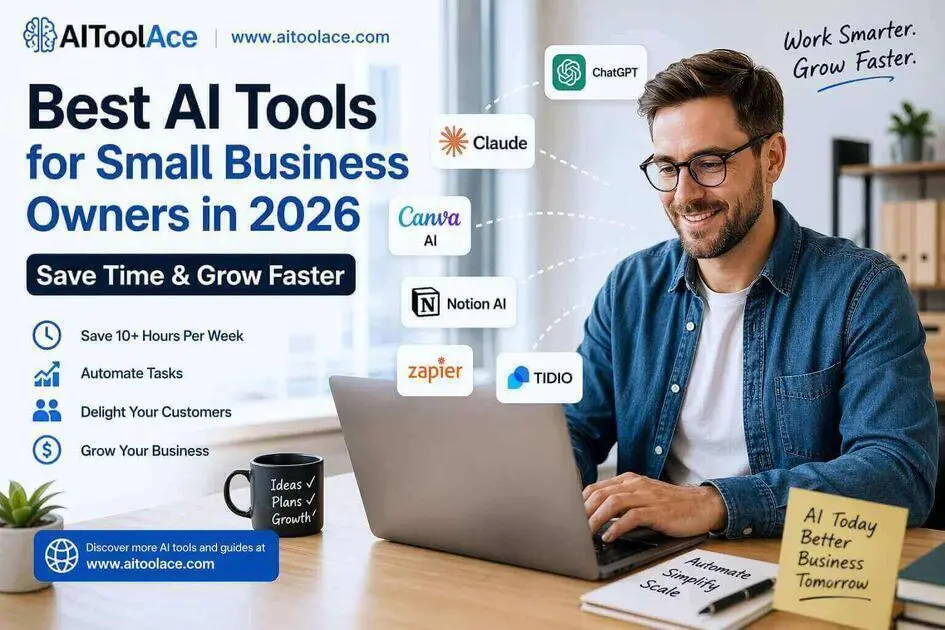
Best AI Tools for Small Business Owners in 2026 (Save Time & Grow Faster)
Quick Navigation: How I Tested • Comparison Table • Best Tools • Risks • FAQ
Small business owners don’t have the luxury of specialization. You handle marketing, sales, customer support, operations, and admin — often in the same afternoon. Most of the work that eats your time isn’t strategic. It’s writing the same types of emails, creating social posts, answering repeat customer questions, and manually moving data between tools.
AI tools are useful here because they handle exactly this kind of repetitive, pattern-based work. They won’t replace your judgment or your relationships with customers, but they can eliminate hours of tasks that don’t require either.
The challenge for small business owners isn’t finding AI tools — there are too many. It’s knowing which ones actually deliver value for the time you invest in learning them. This guide covers the tools that solve the most common small business bottlenecks, with honest assessments of what each one does and doesn’t do well.
If you’re looking for tools specific to marketing campaigns, see Best AI Tools for Marketers. For teams focused on closing deals, Best AI Tools for Sales Teams covers that workflow.
Quick answer: Claude is the strongest tool for content and communication. ChatGPT is the most versatile general-purpose option. Canva AI handles marketing visuals without needing a designer.
How I Tested These Tools
I evaluated each tool based on what matters for small business owners specifically:
- Learning curve — can a non-technical person start using this productively within a day
- Range of use cases — does it solve one narrow problem or multiple common business tasks
- Output quality — is the result good enough to use with minor edits, or does it require heavy rework
- Cost justification — does the free plan deliver real value, and is the paid plan worth it for a small business
- Integration — does it work alongside the tools a small business already uses
I tested each tool’s interface, reviewed its feature set, and consulted feedback from small business owners in professional communities. I did not fabricate time-saved statistics or invent usage scenarios.
Quick Comparison Table
| Tool | Best For | Key Strength | Pricing |
|---|---|---|---|
| Claude | Content and communication | Highest quality writing output | Freemium |
| ChatGPT | General versatility | Handles the widest range of tasks | Freemium |
| Canva AI | Marketing visuals | Professional design without a designer | Freemium |
| Notion AI | Organization and planning | Central workspace with AI assistance | Freemium |
| Zapier + AI | Automation | Connects tools and eliminates manual data work | Freemium + Paid |
| Tidio AI | Customer support | 24/7 chatbot for FAQs and lead capture | Freemium |
Best AI Tools for Small Business Owners
Claude — Best for Content and Communication
Writing is the task most small business owners spend the most time on — client emails, proposals, product descriptions, social media posts, website copy. Claude produces the cleanest, most professional written content of any AI tool available. The output typically needs only light editing before it’s ready to use.
What it does well:
- generates professional emails, proposals, and client communication that read naturally
- writes product descriptions and website copy with clear structure and persuasive language
- handles longer documents (business plans, reports, documentation) with strong organization
- follows nuanced instructions well — you can specify tone, audience, and format precisely
Where it falls short: Claude doesn’t connect to other tools or automate workflows. It’s a writing and thinking tool, not an operations tool. You can’t use it to send emails, update your CRM, or schedule social posts. It produces the content, but you still need other tools (or manual effort) to distribute it. The free plan also has usage limits that active business owners may hit within a day.
Best for: any small business where written communication is a significant part of daily work. For tools that also handle recruitment communication, see Best AI Tools for Recruiters.
ChatGPT — Best All-in-One Tool
ChatGPT’s advantage for small business owners is breadth. It handles writing, brainstorming, data analysis, research, basic coding, and quick customer response drafts — all in one tool. For a business owner who needs help with many different tasks throughout the day, this versatility matters more than being the best at any single task.
What it does well:
- handles a genuinely wide range of business tasks without requiring specialized setup
- useful for brainstorming when you need ideas quickly (campaign angles, business names, email subject lines)
- can analyze data, create basic spreadsheets, and generate simple reports
- accessible and intuitive — most people can start getting useful output immediately
Where it falls short: ChatGPT’s writing quality is noticeably below Claude’s for professional communication. The output tends to be more generic and requires more editing. It also doesn’t have built-in team or brand consistency features — each conversation starts fresh. And like Claude, it doesn’t connect to your business tools natively. For a detailed comparison, see ChatGPT vs Claude vs Gemini.
Best for: business owners who want one tool that can help with many different tasks throughout the day, even if it’s not the best at any single one.
Canva AI — Best for Marketing Visuals
Most small businesses need professional-looking visual content but can’t afford a designer. Canva AI bridges this gap with templates, brand kits, and AI-powered features that make it possible to create decent marketing materials without design skills.
What it does well:
- provides platform-specific templates (Instagram posts, Facebook ads, flyers, presentations) that look professional
- maintains brand consistency through saved brand kits with your colors, fonts, and logo
- includes AI features like background removal, text suggestions, and layout recommendations
- allows batch creation so you can produce a week’s worth of social content in one session
Where it falls short: Canva templates are used by millions of people, so your visual content can look generic. The AI suggestions optimize for safety rather than creativity. For businesses where visual brand identity is a key differentiator (restaurants, retail, creative services), Canva alone isn’t enough — you’ll eventually need custom design work.
Best for: any business that needs regular visual marketing content and doesn’t have a dedicated designer.
Notion AI — Best for Organization
Notion AI doesn’t produce marketing content — it helps you organize your business. Task management, project tracking, documentation, meeting notes, and planning all live in one workspace. The AI layer helps by summarizing long documents, generating drafts from outlines, and identifying patterns in your work.
What it does well:
- centralizes tasks, projects, documentation, and notes in one searchable workspace
- AI can summarize meeting notes, generate first drafts of documents, and organize information
- flexible enough to adapt to different business types and working styles
- works well for small teams that need to share information without complicated project management tools
Where it falls short: Notion requires setup time. Unlike the other tools on this list where you can start getting value immediately, Notion needs to be structured before it’s useful. Without someone willing to build and maintain the workspace, it quickly becomes disorganized. The AI features are helpful but not transformative — they’re a nice addition to the core organizational tool.
Best for: solo founders and small teams who need a structured workspace for planning and documentation and are willing to invest time in setting it up.
Zapier + AI — Best for Automation
Every small business has manual processes that waste time: copying data from one tool to another, sending follow-up emails after form submissions, updating spreadsheets when orders come in. Zapier connects your business tools and automates these repetitive workflows. The AI features let you describe what you want in plain English and it builds the automation for you.
What it does well:
- connects thousands of business tools and automates data flow between them
- eliminates manual copy-paste workflows that waste hours every week
- AI-assisted setup means you can describe what you want and get a working automation
- handles common automations well: lead capture, email follow-ups, CRM updates, invoice generation
Where it falls short: Zapier automates simple, linear workflows well but struggles with complex, conditional logic. The free plan is limited to basic automations. As your needs grow, the paid plans add up — especially if you have many active automations. When automations break (and they do), debugging requires more technical understanding than most small business owners have.
For more on e-commerce-specific automation, see Best AI Tools for E-commerce.
Best for: business owners who have repetitive manual processes between multiple tools and want to eliminate them without hiring a developer.
Tidio AI — Best for Customer Support
If your business receives regular customer inquiries — order status, pricing questions, appointment booking, return policies — Tidio puts an AI chatbot on your website that handles these automatically, 24/7.
What it does well:
- answers common customer questions instantly without requiring your attention
- captures lead information from website visitors and feeds it into your sales process
- provides live chat fallback so customers can reach a human when the bot can’t help
- pre-built templates for common scenarios (e-commerce, services, appointments) make setup fast
Where it falls short: Tidio’s AI handles predictable, FAQ-type questions well but struggles with anything nuanced, unusual, or emotionally charged. Customers who reach the bot with complex issues can find the experience frustrating, especially if the handoff to a human isn’t smooth. The bot also requires ongoing maintenance — if your policies, pricing, or procedures change, someone needs to update the bot’s responses.
Best for: e-commerce stores and service businesses that receive high volumes of repetitive customer inquiries.
The Real Risks of Using AI in a Small Business
1. Starting with Too Many Tools
The most common mistake is trying to adopt multiple AI tools simultaneously. Each tool has a learning curve, and using five new tools poorly is worse than using one well. Pick the single tool that addresses your biggest time sink, learn it properly, then consider adding a second.
2. Publishing Without Review
AI output is a starting point, not a finished product. Business emails with factual errors, social posts with awkward phrasing, or chatbot responses with outdated information all damage credibility. Every piece of AI-generated content that goes to a customer needs human review. This isn’t optional.
3. Neglecting the Human Element
AI chatbots handle routine questions well, but some customers — especially high-value ones — want to talk to a person. If your AI support makes it difficult to reach a human, you risk losing customers who feel like they’re talking to a wall. Always provide a clear, easy path to human support.
4. Sharing Sensitive Data Carelessly
Small business owners sometimes paste client contracts, financial details, or sensitive business information into AI tools without thinking about where that data goes. Understand each tool’s data policies before sharing anything sensitive. Use paid plans with better data protections for business-critical information.
Which AI Tool Should You Choose?
- Just starting with AI → ChatGPT (widest range of tasks, most intuitive)
- Content and client communication → Claude (best writing quality)
- Marketing visuals → Canva AI (professional design without a designer)
- Workflow automation → Zapier + AI (eliminate manual data tasks)
- Business organization → Notion AI (central planning workspace)
- Customer support → Tidio AI (24/7 chatbot for common questions)
Start with one tool. Get genuinely comfortable with it. Then add a second when you identify a specific need that the first tool doesn’t cover. Most small business owners find that Claude or ChatGPT plus one specialized tool (Canva, Zapier, or Tidio) covers the majority of their needs.
Frequently Asked Questions
What is the best AI tool for small business owners?
It depends on your biggest bottleneck. Claude is best for writing and communication. ChatGPT is the most versatile general-purpose tool. Canva AI is best for visual marketing content. Most owners start with ChatGPT because it covers the widest range of tasks, then add a specialized tool based on their specific needs.
How much do AI tools cost for a small business?
Most tools offer free plans that provide enough functionality to evaluate the tool and handle light usage. A practical AI stack for a small business (one writing tool + one specialized tool) typically costs $30–80/month on paid plans. This is significantly less than the hours of work they replace.
Can AI tools replace hiring employees?
No. AI tools automate specific, repetitive tasks — they don’t replace the judgment, creativity, relationship management, and adaptability that employees provide. They’re most valuable for allowing existing team members (including yourself) to spend less time on routine work and more time on activities that directly drive the business forward.
What should I automate first?
Start with whichever repetitive task takes the most time and requires the least judgment. For most small businesses, this is either content creation (emails, social posts) or customer support (answering the same questions repeatedly). These two areas typically offer the fastest, most visible return on time invested.
Do I need technical skills to use these tools?
No. Every tool in this guide is designed for non-technical users. You interact with them using plain language — describing what you want, providing context, and refining the output. The technical complexity is hidden. If you can write an email, you can use these tools.
How do I know if an AI tool is actually saving me time?
Track a specific task before and after adopting the tool. How long did it take to write 10 client emails before AI? How long does it take now? The difference should be obvious within the first week. If you can’t clearly see the time savings after two weeks of use, the tool isn’t solving a real problem for your business.
Related AI Tools Guides
- Best AI Tools for Marketers
- Best AI Tools for Sales Teams
- Best AI Tools for Recruiters
- Best AI Tools for E-commerce
- Best AI Tools 2026
Explore all AI tools → Browse by profession and use case
Last updated: April 2026