Skip to content
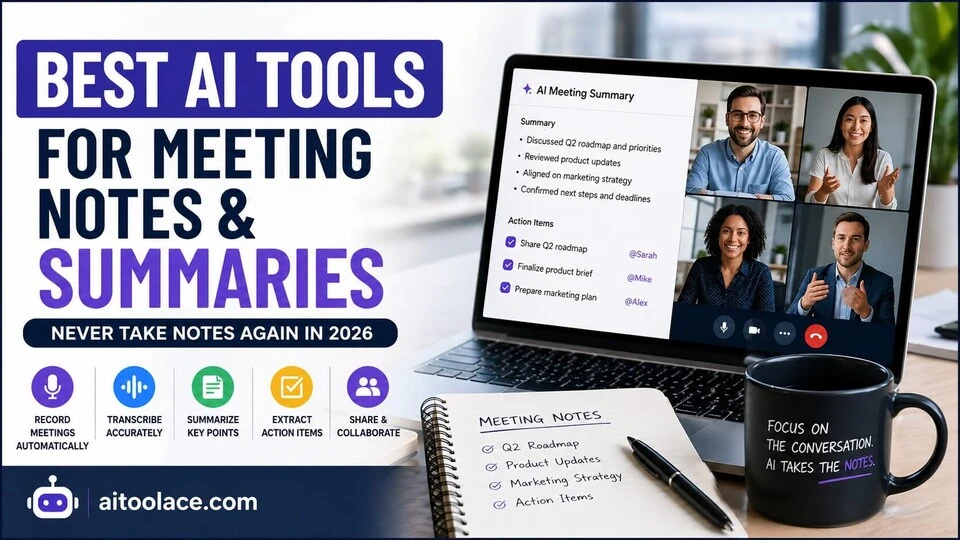
Best AI Tools for Meeting Notes & Summaries (Never Take Notes Again in 2026)
Quick Navigation: How I Tested • Comparison Table • Best Tools • Risks • FAQ
Taking notes during meetings is a losing game. You either focus on the conversation or focus on writing — you can’t do both well. And the notes you end up with are usually incomplete, disorganized, and rarely useful after the first day.
AI meeting tools solve this by recording, transcribing, and summarizing meetings automatically. The technology has improved significantly — transcription accuracy is genuinely good now, and the summaries are useful enough to replace manual note-taking for most meeting types.
But these tools aren’t magic. They work well in some contexts and poorly in others. This guide covers what each tool actually does, where it works, and where it doesn’t.
If you’re looking for broader productivity tools beyond meetings, see Best AI Productivity Tools (Save 5–10 Hours Per Week). If your meetings frequently result in follow-up emails, AI Tools for Writing Client Emails can help with that part of the workflow.
Quick answer: Fireflies.ai is the most complete meeting notes solution. Otter.ai is strongest for live transcription. tl;dv is best for teams that need quick highlights without watching full recordings.
How I Tested These Tools
I evaluated each tool based on what matters for meeting documentation:
- Transcription accuracy — how well does the tool handle different speakers, accents, and audio quality
- Summary quality — are the AI-generated summaries actually useful, or just a condensed transcript
- Action item extraction — does the tool identify decisions and next steps reliably
- Platform integration — does it work smoothly with Zoom, Google Meet, and Microsoft Teams
- Ease of use — how much setup and configuration is required before it’s useful
I reviewed each tool’s features, tested the interfaces with real meeting recordings, and consulted feedback from users in professional communities. I did not fabricate accuracy percentages or invent test scenarios.
Quick Comparison Table
| Tool | Best For | Key Strength | Pricing |
|---|---|---|---|
| Fireflies.ai | Complete meeting intelligence | Recording + transcription + summaries + search | Freemium |
| Otter.ai | Live transcription | Real-time captions with speaker identification | Freemium |
| tl;dv | Quick highlights | Timestamped moments + shareable clips | Freemium |
| Notion AI | Structured notes | Integration with existing project management | Paid add-on |
| Sembly AI | Decision tracking | Automatic task and decision extraction | Freemium |
Best AI Tools for Meeting Notes & Summaries
Fireflies.ai — Best for Complete Meeting Intelligence
Fireflies is the most full-featured meeting notes tool available. It joins your meetings automatically, records everything, transcribes the conversation, generates summaries, and makes the entire archive searchable. If you want one tool that handles the entire meeting documentation workflow, this is it.
What it does well:
- joins Zoom, Google Meet, and Teams meetings automatically — no manual recording needed
- transcribes conversations with speaker identification so you know who said what
- generates structured summaries with key points, decisions, and action items
- creates a searchable archive of all past meetings, which becomes more valuable over time
- integrates with CRM, project management, and communication tools
Where it falls short: Fireflies works best with clear audio and standard meeting formats. Meetings with heavy crosstalk, poor microphone quality, or multiple people speaking simultaneously produce messy transcripts. The AI summaries sometimes miss context — they capture what was said but not always what was meant. For sensitive or nuanced discussions, you still need someone who was actually paying attention.
Best for: teams that have multiple meetings per day and need a reliable system for capturing and searching meeting content.
Otter.ai — Best for Real-Time Transcription
Otter’s strength is live transcription. While other tools focus on post-meeting summaries, Otter provides real-time captions during the meeting itself. This is useful for accessibility, for participants who join late, and for anyone who processes information better by reading than listening.
What it does well:
- provides live transcription during meetings, not just after
- identifies different speakers and labels them in the transcript
- allows collaborative editing — multiple people can annotate the transcript during or after the meeting
- creates searchable transcripts that you can revisit and reference later
Where it falls short: Otter’s summaries are less sophisticated than Fireflies’. The tool is stronger at transcription than at understanding what matters. You get an accurate record of what was said, but extracting the key points and action items often still requires manual work. The real-time transcription can also be distracting for some participants who find themselves reading instead of listening.
Best for: professionals who need live captions during meetings and want accurate, searchable transcripts. Sales teams particularly benefit from having exact records of client conversations — see also Best AI Tools for Sales Teams.
tl;dv — Best for Quick Meeting Highlights
tl;dv takes a different approach. Instead of giving you a full transcript, it focuses on capturing the moments that actually matter — key decisions, important statements, and action items. You can timestamp moments during the meeting and share specific clips with teammates who weren’t present.
What it does well:
- lets you mark important moments during live meetings with one click
- generates summaries focused on highlights rather than full transcripts
- creates shareable clips of specific meeting moments — much faster than sending a full recording
- works well for async teams where not everyone attends every meeting
Where it falls short: tl;dv’s value depends on how well you (or the AI) identify the important moments. If you forget to timestamp key points during the meeting, you’re relying on the AI’s judgment about what matters — which is inconsistent. The tool is less useful for meetings where everything discussed is important (like detailed project reviews) versus meetings with a few key decisions surrounded by general discussion.
Best for: remote and async teams where sharing specific meeting moments matters more than full transcription.
Notion AI — Best for Structured Meeting Notes
Notion AI isn’t a dedicated meeting tool — it’s an AI layer on top of Notion’s workspace. If your team already uses Notion for project management, documentation, and planning, Notion AI can transform raw meeting notes into organized summaries, action items, and linked documents.
What it does well:
- transforms messy meeting notes into structured documents with clear formatting
- generates action items from raw notes and links them to existing project boards
- fits naturally into teams that already use Notion as their central workspace
- connects meeting outcomes directly to project documentation and tasks
Where it falls short: Notion AI doesn’t record or transcribe meetings. You need to bring the raw notes yourself — either by typing during the meeting or pasting a transcript from another tool. It’s a processing tool, not a capture tool. If you’re not already a Notion user, adopting it just for meeting notes doesn’t make sense.
Best for: teams already using Notion who want AI to help organize and structure their meeting documentation. If you manage projects across your team, see also Best AI Tools for Project Managers.
Sembly AI — Best for Decision and Task Tracking
Sembly focuses on what happens after the meeting — tracking decisions made, tasks assigned, and commitments given. While other tools emphasize transcription, Sembly emphasizes accountability.
What it does well:
- automatically identifies decisions, action items, and risks from meeting discussions
- assigns tasks to specific participants based on what was discussed
- tracks follow-through on commitments across multiple meetings
- provides meeting analytics that show patterns in how your team uses meeting time
Where it falls short: Sembly’s decision and task extraction depends heavily on how clearly people speak during meetings. Vague discussions (“we should probably look into that”) produce vague tasks. The tool works best in structured meetings where decisions are stated explicitly. For brainstorming sessions or informal discussions, the AI struggles to identify actionable items.
Best for: leadership teams and consultants who need clear accountability tracking from meetings. See also Best AI Tools for Consultants.
Risks of Using AI for Meeting Notes
1. Privacy and Legal Compliance
Recording meetings requires explicit consent from all participants in most jurisdictions. Some industries — healthcare, legal, finance — have strict regulations about recording conversations. Internal policies vary too. Always confirm consent before recording, and understand where the recording data is stored and who can access it.
2. False Confidence in Transcripts
AI transcription is good but not perfect. Names get mangled, technical terms get misheard, and ambiguous statements get transcribed in ways that change the meaning. If you treat AI transcripts as authoritative records without review, you risk making decisions based on inaccurate information. Always verify critical details.
3. Context Loss in Summaries
AI summaries capture what was said but miss what was meant. Tone, sarcasm, hesitation, and body language don’t appear in transcripts. A statement like “sure, we can try that” could mean genuine agreement or reluctant compliance — the AI can’t tell the difference. Use summaries as memory aids, not as the definitive record of what was decided.
4. Behavioral Changes
People speak differently when they know they’re being recorded. Some become more guarded, others more performative. This can reduce the quality of discussion in meetings where candor matters. Consider whether recording every meeting is actually beneficial, or whether some conversations are better unrecorded.
Which Tool Should You Choose?
- Complete meeting documentation → Fireflies.ai (records, transcribes, summarizes, searches)
- Live transcription during meetings → Otter.ai (real-time captions with speaker ID)
- Quick highlights for async teams → tl;dv (shareable clips and timestamped moments)
- Already using Notion → Notion AI (structured notes within your existing workspace)
- Decision and accountability tracking → Sembly AI (task extraction and follow-through)
Most teams start with one tool. Fireflies is the safest default choice because it handles the widest range of meeting types. Add a specialized tool only when you identify a specific gap.
Frequently Asked Questions
What is the best AI tool for meeting notes?
Fireflies.ai is the most complete solution — it handles recording, transcription, summarization, and search in one platform. For teams that specifically need live transcription, Otter.ai is stronger in that area.
How accurate is AI meeting transcription?
Accuracy depends on audio quality, number of speakers, accents, and background noise. In good conditions with clear audio and standard accents, modern tools produce very usable transcripts. In noisy environments or with heavy accents, accuracy drops noticeably. Always review transcripts for important meetings.
Do AI meeting tools work with all video platforms?
Most major tools integrate with Zoom, Google Meet, and Microsoft Teams. Some also support Webex and other platforms. Check the specific tool’s integration list before committing, especially if your organization uses a less common platform.
Is it legal to record meetings with AI?
This varies by jurisdiction and context. Many places require all-party consent for recording. Some allow single-party consent. Corporate policies add another layer. Always get explicit consent before recording, and understand where the data is stored and processed.
Can AI meeting tools replace a human note-taker?
For standard meetings with clear discussion and explicit decisions, yes — AI tools capture the content reliably. For sensitive negotiations, nuanced discussions, or meetings where context and tone matter as much as words, a human note-taker who understands the situation is still more valuable.
Are there free AI meeting note tools?
Yes. Fireflies, Otter, and tl;dv all offer free plans with limited usage (typically capped by meeting minutes or number of recordings per month). The free tiers are sufficient to evaluate the tools and handle light meeting loads.
Related AI Tools Guides
- Best AI Productivity Tools (Save 5–10 Hours Per Week)
- Best AI Tools for Sales Teams
- Best AI Tools for Project Managers
- Best AI Tools for Consultants
- Best AI Tools 2026
Explore all AI tools → Browse by profession and use case
Last updated: April 2026