Skip to content
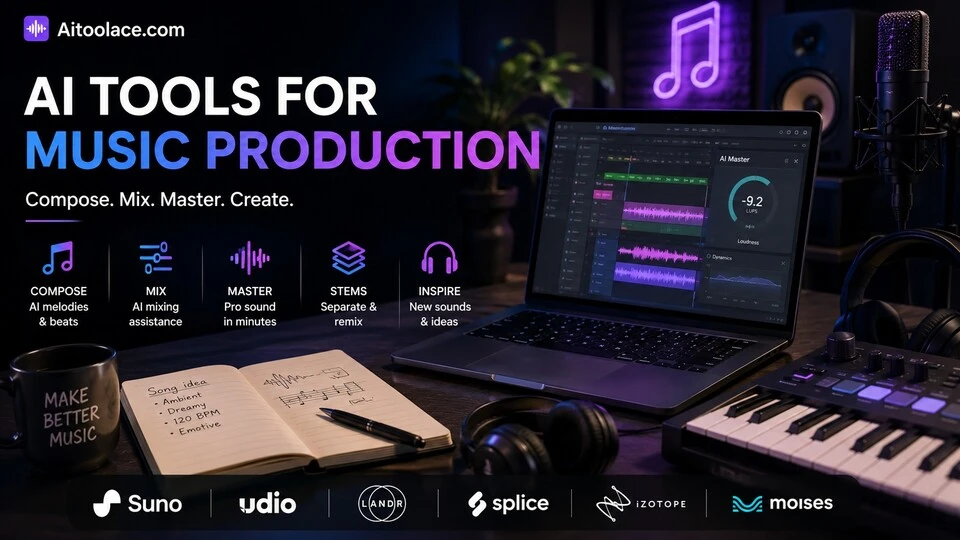
Best AI Tools for Music Production (Compose, Mix & Master in 2026)
Quick Navigation: How I Tested • Comparison Table • Risks • Best Tools • FAQ
Music production has traditionally required three expensive things: talent, equipment, and time. Writing a melody requires musical training. Recording requires a studio. Mixing and mastering require an engineer with years of experience. For content creators who need background music, indie artists who can’t afford a studio, and producers who want to explore ideas faster, these barriers limit what’s possible.
AI tools lower each of these barriers. They generate melodies and chord progressions from descriptions. They create full backing tracks in specific styles. They mix and master audio to professional standards automatically. And they separate stems from existing recordings so you can remix, sample, or isolate elements. The quality varies — AI-composed music won’t replace skilled composers for film scores or album releases, but it’s more than adequate for content, games, social media, and creative exploration.
The ethical and legal landscape around AI music is evolving rapidly. Questions about copyright, artist rights, and the value of human musicianship are actively debated. The tools below are evaluated on practical capability, with the ethical considerations noted clearly.
For musicians using AI in their broader workflow, Best AI Tools for Musicians covers the full artist toolkit. For podcast and audio production, Best AI Tools for Podcast Production addresses spoken-word audio.
Quick answer: Suno is the most accessible tool for generating complete songs from text descriptions. LANDR is best for automated mastering. Udio produces the highest quality AI-generated music across genres.
How I Tested These Tools
I evaluated each tool based on what matters for music production:
- Output quality — does the music sound professional enough for its intended use
- Creative control — can you guide the AI’s output or are you stuck with whatever it generates
- Genre versatility — does it handle different musical styles convincingly
- Mixing and mastering — does it produce polished, release-ready audio
- Rights and licensing — can you use the output commercially without legal complications
I reviewed each tool’s features, tested the output across different genres and use cases, and consulted feedback from music producers and content creators. I did not fabricate quality comparisons or invent listener preference statistics.
Comparison Table
| Tool | Best For | Key Strength | Pricing |
|---|---|---|---|
| Suno | Song generation | Complete songs from text descriptions in seconds | Freemium |
| Udio | High-quality AI music | Most realistic AI-generated music across genres | Freemium |
| LANDR | Automated mastering | Professional mastering without an engineer | Paid |
| Splice + AI | Sample discovery | AI-powered sample search and sound design | Paid |
| iZotope + AI | Mixing assistance | AI-powered mixing tools for producers | Paid |
| Moises | Stem separation | Isolate vocals, drums, bass from any track | Freemium |
Best AI Tools for Music Production
Suno — Best for Song Generation
Suno generates complete songs — vocals, instruments, arrangement — from text descriptions. You describe the mood, genre, and topic, and Suno produces a finished track with lyrics, melody, harmony, and production. For content creators who need original music without music production skills, Suno is the most accessible path from idea to finished song.
What it does well:
- generates complete songs with vocals, instrumentation, and arrangement from text descriptions
- supports a wide range of genres — pop, rock, electronic, hip-hop, jazz, folk, classical, and more
- produces finished tracks quickly — multiple versions in seconds for selecting the best one
- allows lyrics input so you can write the words and let AI handle the music
- provides a simple interface that requires zero music production knowledge
Where it falls short: Suno’s output sounds like AI-generated music — recognizably artificial to trained ears, especially in vocals and expressive instrumental passages. The creative control is limited — you describe what you want and accept what the AI produces, with minimal ability to adjust specific elements. The generated songs follow common structural patterns (verse-chorus-verse) without the unexpected choices that make human-composed music memorable. And the legal status of AI-generated music is evolving — commercial use rights vary by plan and by jurisdiction.
Best for: content creators, podcasters, and video producers who need original background music or theme songs without music production skills or a music budget.
Udio — Best Quality AI Music
Udio produces the most realistic AI-generated music available. The output quality — instrumentation, arrangement, vocal quality, production polish — consistently exceeds other AI music generators. For use cases where the music needs to sound professional rather than just adequate, Udio sets the quality standard.
What it does well:
- produces the highest quality AI-generated music across genres — instrumentation and vocals sound more natural than competitors
- supports genre blending and specific stylistic instructions that other tools handle less precisely
- generates longer, more structurally complex compositions than simple AI generators
- allows extending and modifying generated sections for more creative control over the final output
- provides stems and variations for each generation so you can select and combine the best elements
Where it falls short: Even Udio’s best output lacks the intentionality and emotional depth that skilled human musicians bring. The music is impressive as a technical achievement but can feel formulaic as an artistic one. Commercial licensing terms are important to understand — not all generated music can be used commercially in all contexts. The quality advantage over Suno comes with more processing time and less simplicity. And like all AI music, the output is derivative — it creates music that sounds like existing genres without advancing them.
Best for: producers and content creators who need AI-generated music at the highest possible quality — film and video scoring, game soundtracks, and commercial content where audio quality matters.
LANDR — Best for Automated Mastering
Mastering is the final step of music production — the process that makes a mix sound polished, loud enough, and consistent across different playback systems. It traditionally requires an experienced mastering engineer and specialized equipment. LANDR’s AI analyzes your mix and applies mastering processing that approaches professional results automatically.
What it does well:
- analyzes your mix and applies mastering processing (EQ, compression, limiting, stereo enhancement) automatically
- provides multiple mastering styles (warm, balanced, open, punchy) so you choose the character that suits your music
- processes tracks in minutes rather than the days a human mastering engineer requires
- costs a fraction of professional mastering — a few dollars per track versus hundreds
- supports high-resolution output formats for streaming, vinyl, and CD distribution
Where it falls short: Automated mastering is good enough for most releases but doesn’t match the best human mastering engineers. A skilled engineer makes context-dependent decisions — adjusting processing for specific moments in the song, accounting for how the album flows as a whole, and applying subtle corrections that algorithms miss. LANDR applies consistent processing across the track without these artistic judgments. For albums, compilation releases, or premium commercial content, human mastering still delivers superior results.
Best for: independent artists and producers who need professional-sounding masters without the budget for a mastering engineer — especially for singles and content released on streaming platforms.
Splice + AI — Best for Sample Discovery
Splice provides a massive library of samples, loops, and sounds that producers use in their productions. Its AI features help you find the right sounds faster — searching by description, similarity, and mood rather than scrolling through thousands of categorized files.
What it does well:
- AI-powered search finds samples by describing the sound you want — “dark atmospheric synth pad” or “crispy trap hi-hat”
- discovers similar sounds to samples you already like — upload a reference and find matching samples
- provides a massive library of royalty-free samples across every genre and instrument
- supports a credit-based system so you only pay for samples you actually download
- includes Splice Create tools for generating original sounds from AI models
Where it falls short: Splice is a sample source, not a production tool — you need a DAW (Ableton, Logic, FL Studio) to actually use the samples. The AI search is helpful but sometimes surfaces samples that match the description literally without matching the musical context you intended. Popular samples get used by many producers, which can make your productions sound similar to others. And the credit system means ongoing costs — active producers spend meaningful amounts monthly.
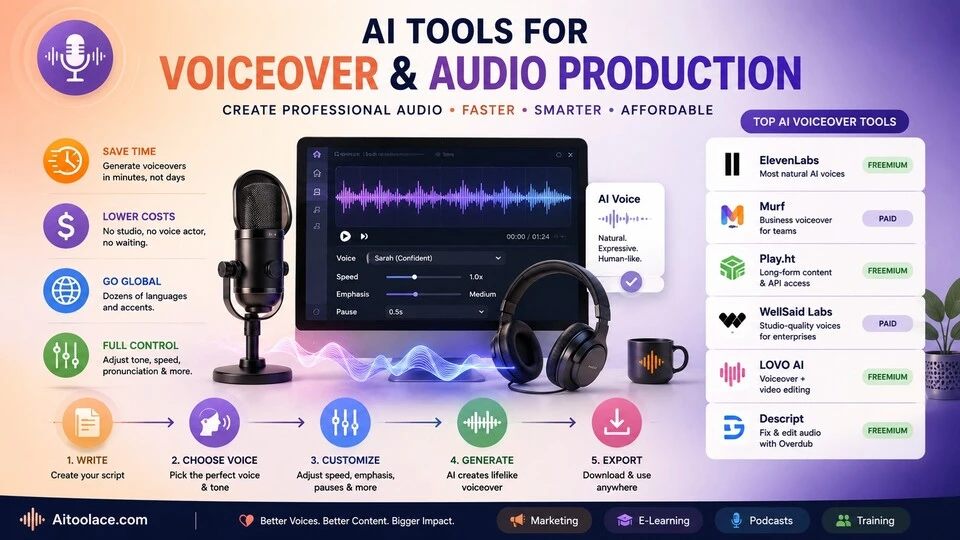
For broader audio production, see Best AI Tools for Voiceover & Audio Production.
Best for: producers working in any DAW who need high-quality samples and want AI to help them find the right sounds from a massive library.
iZotope + AI — Best for Mixing Assistance
iZotope’s suite (Neutron, Ozone, Nectar) uses AI to assist with mixing decisions — suggesting EQ curves, compression settings, and effects chains based on analyzing your audio. For producers who handle their own mixing, iZotope’s AI provides the guidance that would otherwise require years of mixing experience.
What it does well:
- analyzes your audio and suggests EQ, compression, and effects settings tailored to each track
- Neutron’s Track Assistant listens to a track and applies appropriate processing automatically
- Ozone’s Master Assistant applies mastering processing based on your target style and loudness
- Nectar’s Vocal Assistant optimizes vocal processing (EQ, compression, de-essing, reverb) for your specific vocal recording
- provides visual feedback that helps you understand what the processing is doing and why
Where it falls short: iZotope’s AI suggestions are starting points, not final settings. Experienced mix engineers adjust every AI suggestion based on context — how each track sits relative to others, the emotional arc of the song, and the intended listening experience. Beginners who accept every AI suggestion without critical listening produce technically adequate but artistically flat mixes. The suite is expensive — buying multiple iZotope products adds up. And the AI can’t fix fundamental problems — a poorly recorded source needs re-recording, not better processing.
Best for: producers and mix engineers who want AI-guided starting points for their mixing decisions — especially self-producing artists who handle mixing without a dedicated engineer.
Moises — Best for Stem Separation
Moises separates any audio recording into individual stems — vocals, drums, bass, and other instruments isolated from each other. This capability, which required expensive studio equipment and source access until recently, now works on any audio file with impressive accuracy.
What it does well:
- separates any song into individual stems (vocals, drums, bass, other) with high accuracy
- enables remixing possibilities — remove vocals for karaoke, isolate drums for sampling, extract bass lines for study
- provides speed and pitch control for practice and learning — slow down a guitar solo without changing pitch
- works on any audio file without needing access to the original recording session
- includes a chord detection feature that identifies the chords in any song automatically
Where it falls short: Stem separation is impressive but not perfect. Instruments that share frequency ranges (guitar and vocal, bass and kick drum) don’t separate cleanly — you get artifacts, bleeding, and quality loss. The separated stems are useful for practice, remixing, and content creation but rarely clean enough for professional production use. And using stem separation on copyrighted music for commercial purposes raises legal questions that haven’t been fully resolved.
For musicians broadly, see Best AI Tools for Musicians.
Best for: musicians who want to practice along with isolated parts, content creators who need stems for remixing, and producers who want to study the arrangement and production of existing tracks.
The Real Risks of AI in Music Production
1. Copyright and Legal Uncertainty
The legal status of AI-generated music is unresolved. Can you copyright a song generated by AI? If the AI was trained on copyrighted music, does the output infringe on those copyrights? Different jurisdictions are reaching different conclusions. For commercial use, understand the licensing terms of whatever tool you use and stay informed about evolving regulations.
2. Devaluing Human Musicianship
As AI-generated music becomes more accessible, the market for certain types of human-produced music shrinks — particularly background music, stock music, and simple commercial compositions. Musicians who rely on these markets face real economic impact. The broader cultural question — whether AI-generated music diminishes the value of human musical expression — doesn’t have a simple answer.
3. Creative Homogenization
AI music generators are trained on existing music, which means they produce output that sounds like what already exists. If everyone uses the same AI tools to generate music for their content, the sonic landscape becomes increasingly homogeneous. The music that stands out — that surprises, challenges, or moves listeners — still comes from human creativity that deliberately breaks patterns.
4. Quality Ceiling
AI-generated music is improving rapidly but still has a quality ceiling below the best human-produced music. For content backgrounds and functional music, AI quality is sufficient. For music as art — where emotional authenticity, intentional imperfection, and creative surprise create value — AI output falls short. Know which standard your use case requires.
Which AI Tool Should You Choose?
- Complete song generation → Suno (most accessible, text to finished song)
- Highest quality AI music → Udio (best audio quality across genres)
- Automated mastering → LANDR (professional mastering without an engineer)
- Sample discovery → Splice + AI (find the right sounds from millions of options)
- Mixing assistance → iZotope + AI (AI-guided mixing decisions)
- Stem separation → Moises (isolate vocals, drums, bass from any track)
Best starting approach: If you need music for content, start with Suno (free tier) — it’s the fastest path from idea to usable music. If you produce your own music, add LANDR for mastering and Splice for samples. If you mix your own tracks, iZotope’s AI provides the guidance that accelerates your learning curve.
Frequently Asked Questions
What is the best AI music production tool?
Suno is the most accessible for generating complete songs. Udio produces the highest quality AI music. LANDR is best for mastering. The right choice depends on whether you need to generate music from scratch, enhance music you’ve produced, or process existing recordings.
Can AI-generated music be used commercially?
Most AI music tools offer commercial licenses on their paid plans. However, the legal landscape is evolving — some jurisdictions are developing regulations around AI-generated content. Check the specific licensing terms of your tool and consult legal guidance for significant commercial use.
Is AI replacing musicians?
AI is replacing certain categories of functional music production — stock music, simple background music, jingle production. It is not replacing musicians who create music as artistic expression — the emotional depth, cultural context, and creative intentionality that human musicians bring remains beyond AI capability. The market for purely functional music is shrinking; the value of artistically meaningful music persists.
How good does AI-generated music actually sound?
Good enough for most content and background use. Not good enough for critical listening or artistic evaluation. The best AI music (Udio) approaches professional production quality in some genres. All AI music lacks the intentional imperfections, emotional authenticity, and creative surprises that make human music compelling. The quality gap is closing but remains meaningful.
Can I use AI to master my own recordings?
Yes. LANDR and iZotope’s Ozone provide automated mastering that produces professional-sounding results for most streaming releases. For albums, vinyl releases, or premium commercial content, consider professional human mastering — the difference is noticeable at the highest quality levels.
Do I need musical knowledge to use AI music tools?
No for generating music (Suno, Udio). Basic musical understanding helps with tools like Splice, iZotope, and Moises — knowing what a compressor does helps you evaluate AI mixing suggestions. AI lowers the barrier to entry but musical knowledge still helps you get better results and make better creative decisions.
Related AI Tools Guides
- Best AI Tools for Musicians
- Best AI Tools for Podcast Production
- Best AI Tools for Voiceover & Audio Production
- Best AI Tools for Video Editing
- Best AI Tools for Content Creators
Explore all AI tools → Browse by profession and use case
Last updated: June 2026