Skip to content
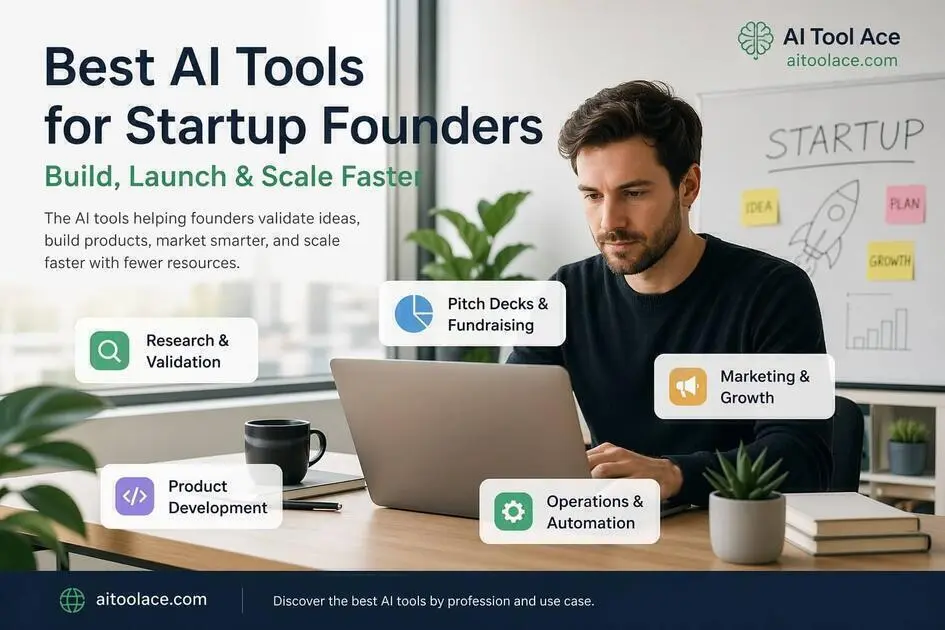
Best AI Tools for Startup Founders (Build, Launch & Scale Faster)
Quick Navigation: How I Tested • Comparison Table • Risks • Best Tools • FAQ
Starting a company means doing everything yourself — or with a very small team. You’re the strategist, the marketer, the product manager, the copywriter, and the operations person. Every hour matters because you’re competing against companies with ten times your resources.
AI tools are genuinely valuable for founders because startup work is full of tasks that are important but repetitive — writing pitch decks, creating marketing content, researching competitors, documenting processes, designing visual assets. These tasks need to be done well, but they don’t need to be done slowly.
The trap most founders fall into is the opposite problem: subscribing to every AI tool they hear about, ending up with eight subscriptions they barely use, and spending more time managing tools than building their product. The founders who get the most from AI pick a small number of tools, learn them deeply, and integrate them into their daily workflow.
This guide covers which tools actually matter for founders at different stages, with honest assessments of what each one does and doesn’t do well. The same pragmatic approach used by small business owners and consultants who need results without overhead.
Quick answer: The strongest founder stack combines Claude for strategy and writing, Perplexity for research, Notion AI for operations, and Canva AI for visual assets. Add Cursor if you’re a technical founder building your own product.
How I Tested These Tools
I evaluated each tool based on what matters for founders specifically:
- Breadth of use cases — does the tool help with multiple founder tasks or just one narrow problem
- Quality at speed — is the output good enough to use with light editing, or does it require heavy rework
- Learning curve — can a busy founder start getting value within a day, not a week
- Cost efficiency — does the free plan deliver real value, and is the paid plan justified for a bootstrapped startup
- Stage relevance — is this tool useful pre-launch, post-launch, or both
I reviewed each tool’s features, tested the interfaces across multiple founder scenarios, and consulted feedback from active founders. I did not fabricate adoption statistics or invent productivity metrics.
Comparison Table
| Tool | Best For | Key Strength | Pricing |
|---|---|---|---|
| Claude | Strategy, writing, and thinking | Strongest reasoning and long-form output | Freemium |
| Perplexity | Market research | Real-time research with cited sources | Freemium |
| Notion AI | Operations and documentation | Central workspace with AI assistance | Freemium |
| Canva AI | Visual assets and branding | Professional design without a designer | Freemium |
| Cursor | Coding and development | AI-powered code editor for building products | Freemium |
| Beautiful.ai | Pitch decks | Automated slide design from content | Paid |
| Zapier AI | Workflow automation | Connects tools and eliminates manual processes | Freemium + Paid |
Best AI Tools for Startup Founders
Claude — Best for Strategy, Writing, and Thinking
Claude is the most useful single tool for founders because it handles the widest range of high-value tasks — business planning, pitch preparation, content creation, email writing, competitive analysis, and strategic thinking. It’s not just a writing tool; it’s a thinking partner that can challenge your assumptions, identify gaps in your reasoning, and help you communicate more clearly.
What it does well:
- produces high-quality business documents — pitch narratives, investor updates, GTM strategies, positioning documents
- serves as a strategic sounding board — you can describe your situation and get structured feedback on your approach
- writes marketing content (landing pages, blog posts, email sequences, ad copy) that reads naturally
- handles complex, multi-step tasks like analyzing a competitor landscape or building a financial narrative
Where it falls short: Claude doesn’t know your market, your customers, or your competitive dynamics. It can help you structure your thinking, but it can’t validate your ideas — only real customers can do that. The strategic advice it gives is based on general patterns, not your specific situation. Founders who treat Claude’s output as validated strategy rather than a starting point for their own judgment are making a dangerous mistake. And like all AI writing tools, the output is competent but generic without your specific knowledge and personality added.
Best for: founders who need a versatile tool for writing, planning, and thinking across every stage of building a company.
Perplexity — Best for Market Research
Founders need to make decisions based on data — market size, competitor positioning, industry trends, customer behavior. Perplexity provides real-time research with cited sources, which means you can verify the information instead of trusting it blindly.
What it does well:
- provides research results with source citations so you can verify claims and dig deeper
- accesses current information rather than relying on a training data cutoff
- handles multi-step research questions well — “what’s the market size for X in Y region targeting Z customers”
- produces structured research summaries that can feed directly into pitch decks and business plans
Where it falls short: Perplexity aggregates and summarizes information from the web, which means it’s only as good as the sources it finds. For niche markets or emerging industries, the available data may be limited, outdated, or based on questionable sources. It’s a research accelerator, not a replacement for primary research (talking to customers, running surveys, testing assumptions directly).
Best for: founders who need fast, source-backed research for decision-making, competitive analysis, and investor preparation.
Notion AI — Best for Operations and Documentation
As a startup grows from one person to a small team, documentation and organization become critical. Notion AI provides a central workspace where plans, processes, product specs, meeting notes, and task tracking all live together — with AI that helps summarize, organize, and generate content within that workspace.
What it does well:
- centralizes all company documentation, planning, and task management in one searchable workspace
- AI summarizes long documents, generates first drafts of specs and SOPs, and organizes information
- scales naturally from solo founder to small team without needing to migrate to a different tool
- flexible enough to serve as a product management tool, wiki, project tracker, and meeting notes system simultaneously
Where it falls short: Notion requires setup time, and founders rarely have time to spare. Without intentional organization, the workspace becomes a dumping ground of half-finished documents. The AI features are helpful additions but won’t compensate for poor organizational habits. And Notion is a planning and documentation tool — it doesn’t help you execute, ship, or sell. There’s a real risk of spending time organizing instead of building.
For similar organizational tools in a broader context, see Best AI Productivity Tools.
Best for: founders transitioning from solo to team who need a central workspace for documentation, planning, and coordination.
Canva AI — Best for Visual Assets and Branding
Startups need visual content constantly — pitch deck graphics, social media posts, website images, investor one-pagers, product screenshots, event materials. Canva AI lets founders create professional-looking visual assets without design skills or a design budget.
What it does well:
- provides templates for every common startup visual need — pitch decks, social posts, one-pagers, ads, presentations
- maintains brand consistency through brand kits (saved colors, fonts, logos) applied across all designs
- includes AI features like background removal, layout suggestions, and text generation
- enables fast iteration — you can create multiple versions of a design quickly to test what works
Where it falls short: Canva produces professional but generic visual content. For a startup trying to build a distinctive brand identity, template-based design can work against you — your materials look polished but interchangeable with thousands of other startups using the same templates. If brand differentiation is important to your positioning, you’ll eventually need custom design work beyond what Canva provides.
For dedicated design workflows, see Best AI Tools for Designers.
Best for: founders who need professional visual content across multiple formats without a design budget.
Cursor — Best for Coding and Development
For technical founders building their own product, Cursor is an AI-powered code editor that accelerates development. It suggests code, generates functions from descriptions, explains existing codebases, and handles routine coding tasks so you can focus on architecture and business logic.
What it does well:
- generates code from natural language descriptions, which speeds up implementation of standard features
- suggests completions and improvements as you write, reducing time spent on boilerplate
- explains unfamiliar code, which is useful when working with new frameworks or inherited codebases
- handles routine development tasks (CRUD operations, API integrations, UI components) faster than writing from scratch
Where it falls short: Cursor’s code suggestions are helpful for standard patterns but unreliable for complex, domain-specific logic. The generated code often works but isn’t optimal — it can introduce subtle bugs, performance issues, or architectural problems that are harder to fix later than writing correctly from the start. Technical founders who accept AI-generated code without careful review accumulate technical debt faster. And for non-technical founders, Cursor isn’t useful — it’s a developer tool that requires programming knowledge.
Best for: technical founders who code their own product and want to ship faster without sacrificing too much code quality.
Beautiful.ai — Best for Pitch Decks
Pitch decks need to look professional and communicate clearly, but most founders aren’t designers. Beautiful.ai automates slide layout and design — you provide the content, and the tool creates clean, well-structured presentations.
What it does well:
- automatically designs slides based on the content you provide, maintaining visual consistency throughout
- provides startup-specific templates (pitch decks, investor updates, board presentations)
- handles layout adjustments automatically when you add or remove content — no manual positioning
- produces presentation-quality slides that look professional enough for investor meetings
Where it falls short: Beautiful.ai controls the design, which means limited customization. If you have specific visual requirements or want your deck to look distinctive rather than polished-generic, the constraints become frustrating. The tool also focuses on visual presentation — it can’t help you with the narrative, structure, or substance of your pitch, which is where most pitch decks actually fail. A beautiful deck with a weak narrative still loses.
Best for: founders who need professional-looking pitch decks and investor presentations without spending hours on slide design.
Zapier AI — Best for Workflow Automation
As startups grow, manual processes accumulate — updating spreadsheets when deals close, sending onboarding emails when customers sign up, syncing data between the CRM and project management tool. Zapier connects these tools and automates the data flow between them.
What it does well:
- connects thousands of business tools and automates data movement between them without coding
- AI-assisted setup lets you describe automations in plain English
- handles common startup automations well: lead capture to CRM, customer signup to onboarding, payment to invoice
- reduces the accumulation of manual processes that bog down small teams
Where it falls short: Zapier handles simple, linear automations well but struggles with complex conditional logic. As your workflows become more sophisticated, you’ll likely need more capable automation tools or custom integrations. The free plan is quite limited, and active automations on paid plans add up. When automations break (and they do, especially when connected tools update their APIs), debugging requires more technical understanding than most non-technical founders have.
For more on automation tools for small teams, see Best AI Tools for Freelancers.
Best for: founders who have repetitive manual processes between multiple tools and want to eliminate them before they become a bottleneck.
The Real Risks of Using AI as a Founder
1. Confusing AI Validation with Real Validation
AI can make any idea sound brilliant. You can ask Claude to write a compelling pitch for a terrible product, and it will. This creates a dangerous feedback loop where founders feel validated by AI output rather than by customer conversations. AI helps you articulate and refine your thinking — it cannot tell you whether your customers actually want what you’re building. Talk to real people.
2. Generic Branding in a Crowded Market
When every startup uses the same AI tools for copy and design, the output starts to look and sound identical. Your landing page reads like every other AI-generated landing page. Your pitch deck uses the same templates and phrasing as the startup that pitched before you. In early-stage startups, brand differentiation matters more than polish. A rough but distinctive brand is more memorable than a polished but generic one.
3. Tool Sprawl Destroying Focus
Every tool on this list solves a real problem. The temptation is to adopt all of them. Don’t. Each tool adds cognitive overhead — another login, another interface to learn, another subscription to manage. The most effective founders use 3–4 tools deeply. Pick the ones that address your current bottleneck, not the ones that might be useful someday.
4. Confidentiality with Sensitive Business Data
Founders routinely work with sensitive information — financial projections, customer data, IP, fundraising details, strategic plans. Be intentional about which AI tools get access to this information. Free tools with unclear data policies are fine for marketing copy; they’re inappropriate for confidential investor communications or proprietary product details.
Which AI Tool Should You Choose?
- Pre-launch (idea stage) → Claude + Perplexity (thinking + research)
- Building MVP → Cursor + Notion AI + Claude (code + organize + write)
- Fundraising → Beautiful.ai + Claude (deck design + narrative)
- Growth stage → Canva AI + Claude + Zapier (visual assets + content + automation)
Best free stack for bootstrapped founders: Claude (free tier) + Perplexity (free tier) + Notion (free tier) + Canva (free tier). This combination covers strategy, research, organization, and visual assets at zero cost — enough to build, launch, and start growing before investing in paid tools.
Frequently Asked Questions
Can a solo founder realistically compete using AI tools?
Yes, in specific ways. AI lets a solo founder produce content, research, documentation, and visual assets at a speed and quality that previously required multiple hires. It doesn’t replace the need for domain expertise, customer relationships, or strategic judgment — but it removes the resource constraint on execution tasks.
How much should a startup spend on AI tools?
Start at zero. Every tool on this list has a free tier that delivers genuine value. As you identify which tools you use daily and where the free limits constrain you, upgrade selectively — typically one or two tools at $20–30/month each. A useful AI stack shouldn’t cost more than $60–80/month for a bootstrapped startup.
What’s the biggest mistake founders make with AI?
Tool overload. Subscribing to everything, learning nothing deeply, and spending time managing tools instead of building the product. The second biggest mistake is treating AI output as validated strategy rather than a starting point for their own judgment.
Should non-technical founders use Cursor?
No. Cursor is a code editor that requires programming knowledge. Non-technical founders should focus on no-code tools (Notion, Canva, Zapier) and AI writing tools (Claude) for their workflow. If you need development help, use AI to write better briefs for developers, not to write code yourself.
When should a founder hire instead of using AI?
When the quality of work in a specific area directly affects your competitive position or customer relationships, and AI output isn’t good enough. Common inflection points: hiring a designer when brand differentiation matters, hiring a developer when code quality affects product reliability, hiring a salesperson when relationships drive deals. AI buys you time before these hires become necessary, but it doesn’t eliminate the need for them.
Is AI-generated content good enough for a startup’s marketing?
As a starting point, yes. As a finished product, rarely. AI-generated marketing content is competent but generic. It works for getting started, maintaining a publishing cadence, and covering routine content needs. But the content that actually drives growth — thought leadership, unique insights, compelling stories — requires human perspective and experience that AI can’t provide.
Related AI Tools Guides
- Best AI Tools for Consultants
- Best AI Tools for Freelancers
- Best AI Tools for Marketers
- Best AI Tools for Small Business Owners
- Best AI Productivity Tools
Explore all AI tools → Browse by profession and use case
Last updated: April 2026