Skip to content
Best AI Tools for Technical Writing (Document, Explain & Publish Faster in 2026)
Quick Navigation: How I Tested • Comparison Table • Risks • Best Tools • FAQ
Technical writing is the most undervalued skill in technology. Great documentation makes products usable, reduces support tickets, accelerates onboarding, and builds developer trust. Bad documentation — or worse, missing documentation — creates confusion, drives support costs, and loses customers who can’t figure out how to use what they paid for.
The problem is that technical writing is time-consuming and most organizations don’t have enough technical writers. Developers who could write documentation are writing code instead. Product managers who understand the features don’t have time to document them. And the documentation that does exist often becomes outdated as soon as the product changes.
AI tools help at every stage of technical writing. They generate first drafts from code comments, specifications, or rough notes. They explain complex concepts in accessible language. They maintain consistent terminology across large documentation sets. They identify outdated content that needs updating. And they translate documentation for international audiences.
For broader writing tools beyond technical content, Best AI Writing Tools covers general writing. For coding documentation specifically, Best AI Tools for Coding addresses inline documentation and code comments.
Quick answer: Claude produces the highest quality technical explanations and documentation drafts. Mintlify is the best platform for developer documentation with AI. GitBook provides the strongest collaborative documentation workspace with AI search.
How I Tested These Tools
I evaluated each tool based on what matters for technical writing:
- Explanation quality — can it explain complex technical concepts clearly for the intended audience
- Draft accuracy — does it produce technically correct first drafts that reduce editing rather than creating more work
- Consistency — does it maintain consistent terminology, style, and formatting across documentation
- Maintenance support — does it help identify and update outdated documentation
- Publishing — does it produce documentation that looks professional and is easy to navigate
I reviewed each tool’s features, tested across different documentation types, and consulted feedback from technical writers and developer experience teams. I did not fabricate writing speed statistics or invent documentation quality metrics.
Comparison Table
| Tool | Best For | Key Strength | Pricing |
|---|---|---|---|
| Claude | Technical explanation and drafting | Strongest reasoning for explaining complex concepts clearly | Freemium |
| Mintlify | Developer documentation | Beautiful API docs and developer guides with AI | Paid |
| GitBook | Collaborative documentation | Team documentation workspace with AI search and writing | Freemium |
| Readme | API documentation | Interactive API reference documentation | Freemium |
| Grammarly | Technical prose quality | Grammar and clarity checking for technical content | Freemium |
| Swimm | Code documentation | AI documentation linked directly to source code | Freemium |
Best AI Tools for Technical Writing
Claude — Best for Technical Explanation and Drafting
Technical writing requires a rare combination of deep understanding and clear communication — you need to understand the technology well enough to explain it accurately and write clearly enough for the audience to follow. Claude handles both sides. It explains complex concepts at the right level for the audience, produces technically accurate drafts, and adapts explanation style from beginner tutorials to advanced API references.
What it does well:
- explains complex technical concepts at any level — from beginner introductions to expert-level implementation details
- produces technically accurate documentation drafts from specifications, code snippets, or rough descriptions
- adapts writing style for different documentation types — tutorials sound different from API references sound different from architecture overviews
- maintains consistent terminology when you establish conventions and provide them as context
- generates examples, code samples, and usage scenarios that illustrate concepts concretely
Where it falls short: Claude writes documentation based on what you tell it — it can’t access your codebase, test your API, or verify that its technical descriptions match your actual implementation. Every draft needs technical review against the real system. Claude also doesn’t manage documentation versioning, publishing, or navigation — you need a documentation platform for that. And Claude’s technical knowledge has a cutoff date — for very new technologies or recently changed APIs, it may describe outdated behavior.
For code-level documentation, see Best AI Tools for Coding.
Best for: technical writers and developers who need to produce documentation faster — especially for explaining architecture decisions, writing tutorials, creating API guides, and documenting complex systems.
Mintlify — Best for Developer Documentation
Mintlify provides a documentation platform specifically designed for developer-facing content. It handles the publishing, navigation, search, and styling of technical documentation with AI features that generate content suggestions, maintain consistency, and help users find answers within your docs.
What it does well:
- produces beautiful, professionally designed developer documentation with minimal configuration
- AI suggests content improvements — identifying unclear sections, missing information, and outdated references
- supports MDX (Markdown with components) for rich, interactive documentation with code examples
- provides AI-powered search that answers developer questions from your documentation directly
- includes API reference generation from OpenAPI specifications
Where it falls short: Mintlify is designed specifically for developer documentation — product guides, internal knowledge bases, and non-technical documentation aren’t the target use case. The platform is relatively new, which means the ecosystem is smaller than established alternatives (GitBook, Readme). AI content suggestions are helpful for improvement but don’t generate complete documentation — you still need to write the content. And the pricing may not justify the investment for small projects with minimal documentation needs.
For API documentation specifically, see the Readme section below.
Best for: developer-focused companies that want their documentation to look as polished as their product — API references, SDKs, integration guides, and developer portals.
GitBook — Best for Collaborative Documentation
GitBook provides a documentation workspace where teams write, review, and publish together. Its AI features add search that answers questions from your docs, content generation from outlines, and suggestions for improving existing pages. For teams where multiple people contribute to documentation, GitBook provides the collaboration infrastructure.
What it does well:
- supports team collaboration with editing, commenting, review workflows, and version control
- AI search answers questions from your documentation — users find answers without reading entire pages
- AI writing assistant generates draft content from outlines and improves existing documentation
- handles both public documentation (for users) and internal documentation (for teams) in one platform
- integrates with GitHub and GitLab for docs-as-code workflows
Where it falls short: GitBook’s AI features are solid but not as deep as Claude for generating technical explanations. The platform handles standard documentation well but becomes limiting for highly customized documentation sites. The free plan restricts features that growing teams need. And GitBook works best for text-heavy documentation — interactive elements, embedded applications, and highly visual documentation require workarounds.
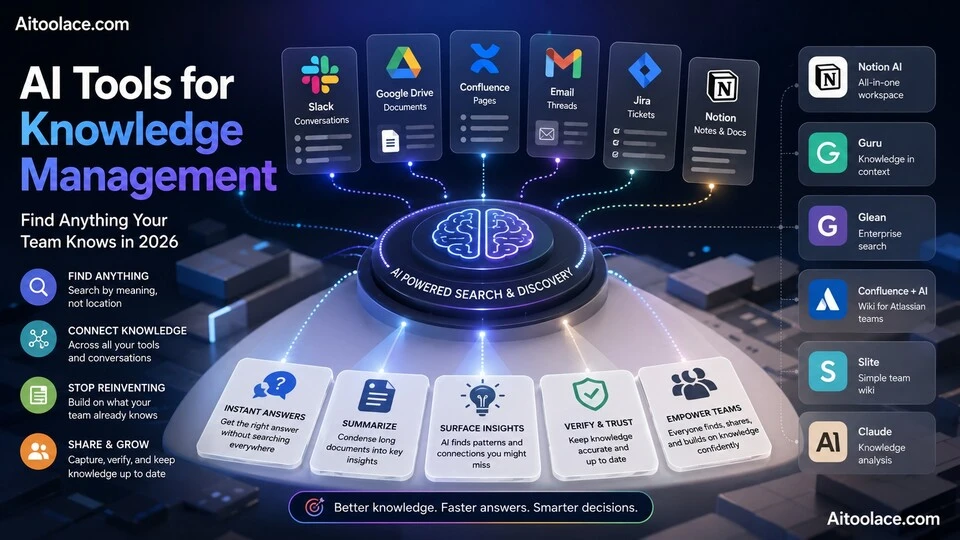
For knowledge management beyond documentation, see Best AI Tools for Knowledge Management.
Best for: teams that need collaborative documentation with version control and review workflows — especially organizations maintaining both public-facing and internal documentation.
Readme — Best for API Documentation
Readme specializes in interactive API documentation — the reference pages that developers use to understand and integrate with your API. It generates documentation from OpenAPI specifications, provides a built-in API explorer for testing endpoints, and uses AI to improve the developer experience.
What it does well:
- generates interactive API reference documentation from OpenAPI/Swagger specifications automatically
- provides a built-in API explorer that lets developers test endpoints directly from the documentation
- tracks which documentation pages developers visit most and where they struggle — informing improvement priorities
- supports guides, tutorials, and changelogs alongside the API reference for complete developer documentation
- AI suggests documentation improvements based on developer usage patterns
Where it falls short: Readme is focused on API documentation — if your documentation needs go beyond API references (product guides, architecture docs, internal wikis), you need additional tools. The auto-generation from OpenAPI specs produces functional but basic descriptions that need human enhancement to be genuinely helpful. The pricing scales with features and API calls, which can be significant for popular APIs. And Readme’s value is proportional to your API’s usage — internal APIs with few consumers don’t justify the investment.
For coding tools beyond documentation, see Best AI Tools for Coding.
Best for: companies with public APIs that need professional, interactive reference documentation — especially those with OpenAPI specifications that can be auto-generated.
Grammarly — Best for Technical Prose Quality
Technical accuracy means nothing if the writing is unclear. Grammarly catches the clarity issues that technical writers often miss — overly complex sentences, ambiguous pronouns, passive voice that hides the actor, and inconsistent terminology. For documentation that needs to be precise and readable, Grammarly provides the final quality layer.
What it does well:
- catches clarity issues that technical reviewers miss — unclear sentence structure, ambiguous references, and unnecessary complexity
- identifies passive voice usage that can make technical instructions confusing — “the button should be clicked” vs “click the button”
- maintains consistent tone across documentation sections written by different authors
- works inside the tools technical writers use — Google Docs, Word, and browser-based editors
- provides style suggestions calibrated for professional technical writing
Where it falls short: Grammarly doesn’t understand technical content — it catches language issues but can’t evaluate technical accuracy. Suggestions sometimes conflict with technical writing conventions — passive voice is sometimes appropriate in technical documentation. The tool improves individual documents but doesn’t maintain consistency across a large documentation set the way style guides and terminology databases do. And Grammarly occasionally flags domain-specific terminology as errors.
For general writing improvement, see Best AI Writing Tools.
Best for: technical writers who want a final quality check on clarity and grammar — especially teams with multiple contributors whose writing styles need normalization.
Swimm — Best for Code Documentation
Swimm links documentation directly to source code — when the code changes, related documentation is flagged for update. This solves the biggest problem in code documentation: keeping docs current as the codebase evolves. AI features generate documentation from code and identify what needs updating when code changes.
What it does well:
- links documentation directly to code — when referenced code changes, the documentation is flagged for review
- AI generates documentation from code analysis — explaining functions, classes, and workflows based on the actual implementation
- integrates into the development workflow — documentation updates happen alongside code changes, not as a separate task
- identifies undocumented code and suggests what needs documentation based on complexity and usage
- supports markdown with code snippets that stay synchronized with the actual codebase
Where it falls short: Swimm is specifically for code documentation — it doesn’t handle product documentation, user guides, or API references. The AI-generated explanations from code are technically accurate but sometimes lack the “why” context that makes documentation useful — explaining what code does without explaining why it was built that way. The tool works best for teams that already have documentation practices — it doesn’t create a documentation culture, it makes an existing one more sustainable. And integration requires some setup in your CI/CD pipeline.
For coding tools, see Best AI Tools for Coding.
Best for: engineering teams where keeping code documentation current is the primary challenge — especially teams with codebases that change frequently and documentation that falls out of date.
The Real Risks of AI in Technical Writing
1. Technically Plausible But Wrong
AI generates documentation that reads well and sounds technically credible — but may describe behavior that doesn’t match the actual system. An AI-generated API description that documents parameters incorrectly or describes a workflow that doesn’t exist looks professional and misleads developers. Every AI-generated technical document must be verified against the actual implementation.
2. Documentation That Explains Nothing
AI can describe what a function does without explaining why it exists, when to use it, or what problems it solves. The result is documentation that’s technically correct but practically useless — developers read it and still don’t know how to accomplish their goal. Good documentation requires understanding the user’s context, not just the system’s behavior.
3. Outdated Docs at Scale
AI makes it easy to create large volumes of documentation quickly. But documentation that isn’t maintained becomes misleading as the product evolves. Creating more documentation with AI without also investing in maintenance creates a larger maintenance debt — more pages to review, more content to update, more opportunities for outdated information to mislead users.
4. Style Without Substance
AI-generated documentation tends toward verbose, safe, professional language that fills space without adding value. “This powerful feature enables you to leverage the full potential of the platform” communicates nothing. Good technical writing is specific, concise, and task-oriented — telling users exactly what to do and what to expect. Review AI drafts for substance, not just style.
Which AI Tool Should You Choose?
- Technical explanations and drafting → Claude (strongest reasoning for complex documentation)
- Developer documentation platform → Mintlify (beautiful dev docs with AI features)
- Collaborative documentation → GitBook (team workspace with AI search and writing)
- API reference documentation → Readme (interactive API docs from OpenAPI specs)
- Prose quality and clarity → Grammarly (final quality check for technical writing)
- Code-linked documentation → Swimm (docs that stay current with code changes)
Best starting approach: Use Claude for drafting documentation content (free). Choose a publishing platform based on your needs — Mintlify for developer docs, GitBook for collaborative team docs, Readme for API references. Add Grammarly for quality assurance. Add Swimm when keeping code documentation current is a persistent challenge.
Frequently Asked Questions
What is the best AI tool for technical writing?
Claude produces the best technical writing drafts — clear explanations at the right level for any audience. Mintlify is the best documentation publishing platform with AI. GitBook is best for team collaboration. Most technical writing workflows benefit from combining a writing tool (Claude) with a publishing platform.
Can AI write accurate technical documentation?
AI produces technically plausible drafts that are often largely correct. But “largely correct” isn’t good enough for technical documentation — a single wrong parameter description or incorrect workflow step can waste hours of developer time. AI drafts must be reviewed against the actual system by someone who understands the technology.
How do I keep documentation up to date?
Assign ownership — every documentation page has an owner responsible for accuracy. Set review schedules — quarterly for stable content, after every release for feature documentation. Use tools like Swimm that flag documentation when related code changes. And resist the temptation to document everything — less documentation that’s accurate is better than more documentation that’s outdated.
Should developers write documentation?
Developers should document what they know uniquely — architecture decisions, API design rationale, and technical tradeoffs. User-facing documentation benefits from technical writers who understand the user’s perspective, not just the system’s behavior. The ideal is collaboration: developers provide technical accuracy, writers provide clarity and user focus.
How do I write documentation for non-technical users?
Focus on tasks, not features. Users want to know how to accomplish their goal, not how the system works internally. Use concrete examples. Avoid jargon or define it immediately. Test your documentation by having someone unfamiliar with the system follow it — if they get stuck, the documentation needs improvement.
How much should we invest in documentation?
Documentation is an investment that reduces support costs, accelerates onboarding, and improves user satisfaction. For developer-facing products, documentation quality directly affects adoption. The right investment depends on your user base size and the complexity of your product — but the cost of bad documentation (support tickets, lost users, internal confusion) almost always exceeds the cost of good documentation.
Related AI Tools Guides
- Best AI Writing Tools
- Best AI Tools for Coding
- Best AI Tools for Knowledge Management
- Best AI Tools for Product Management
- Best AI Tools for Learning New Skills
Explore all AI tools → Browse by profession and use case
Last updated: June 2026