Skip to content
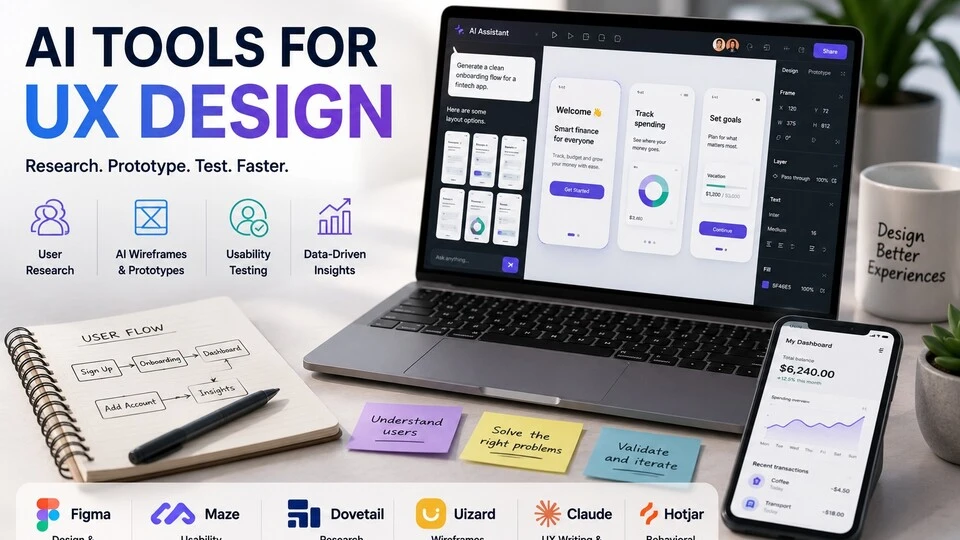
Best AI Tools for UX Design (Research, Prototype & Test Faster in 2026)
Quick Navigation: How I Tested • Comparison Table • Risks • Best Tools • FAQ
UX design is a process of understanding people and translating that understanding into interfaces they can use. The research, analysis, ideation, prototyping, testing, and iteration cycle is what produces good design — and every stage takes time. Understanding user needs takes interviews. Exploring solutions takes wireframing. Validating designs takes testing. Each step is essential, and each step is slow.
AI tools accelerate specific stages without skipping them. They analyze user research transcripts faster than manual reading. They generate wireframe variations from descriptions. They create prototypes that can be tested earlier in the process. And they surface usability issues from analytics data that would take weeks to identify manually.
The important distinction: AI accelerates the UX process but doesn’t replace UX thinking. Understanding why users struggle, deciding which problems to solve, and judging whether a design actually works requires human empathy and judgment that AI doesn’t have. A wireframe generated in seconds still needs a designer who knows whether it solves the right problem.
For visual design beyond UX, Best AI Tools for Designers covers the broader design toolkit. For product management decisions that UX informs, Best AI Tools for Product Management addresses the product side.
Quick answer: Figma with AI plugins is the strongest design tool for UX prototyping. Maze is best for unmoderated usability testing with AI analysis. Dovetail is best for analyzing user research at scale.
How I Tested These Tools
I evaluated each tool based on what matters for UX design work:
- Research analysis — can it help identify patterns and insights from user interviews and feedback
- Design generation — does it produce wireframes and prototypes that are useful starting points, not just random layouts
- Testing efficiency — can it help validate designs faster without sacrificing the quality of user feedback
- Design system awareness — does it understand and respect existing design systems and patterns
- Workflow integration — does it fit into existing UX workflows (Figma, research repositories, analytics)
I reviewed each tool’s features, tested across different UX design scenarios, and consulted feedback from practicing UX designers and researchers. I did not fabricate usability improvement statistics or invent design efficiency metrics.
Comparison Table
| Tool | Best For | Key Strength | Pricing |
|---|---|---|---|
| Figma + AI plugins | UI/UX prototyping | Industry-standard design tool with AI acceleration | Freemium |
| Maze | Usability testing | Unmoderated testing with AI-powered analysis | Freemium |
| Dovetail | User research analysis | AI theme detection across interviews and feedback | Paid |
| Uizard | Wireframe generation | Turn sketches and descriptions into digital wireframes | Freemium |
| Claude | UX writing and analysis | Microcopy, research synthesis, and design documentation | Freemium |
| Hotjar | Behavioral analysis | Heatmaps and session recordings with AI insights | Freemium |
Best AI Tools for UX Design
Figma + AI Plugins — Best for UI/UX Prototyping
Figma is where most UX design happens. Its growing ecosystem of AI plugins adds capabilities that accelerate the design process — generating layout variations, populating designs with realistic content, creating design system components, and automating repetitive design tasks. The AI works within Figma, so designers stay in their primary tool.
What it does well:
- AI plugins generate layout variations from descriptions or existing designs — exploring more options in less time
- content generation fills designs with realistic text, images, and data instead of “Lorem ipsum” placeholders
- auto-layout and component suggestions help maintain design system consistency
- plugins like Magician, Genius, and Ando add AI capabilities for specific design tasks
- everything happens inside Figma — no switching between tools for AI features
Where it falls short: Figma’s AI capabilities come from third-party plugins, not native features — which means inconsistent quality, reliability, and maintenance across different plugins. Some plugins stop being updated or change their pricing model. The AI-generated layouts are starting points that always need designer refinement — they follow common patterns but don’t solve specific design problems. And AI can generate UI elements but can’t evaluate whether they create a good user experience — that judgment requires understanding the users and the context.
For broader design tools, see Best AI Tools for Designers.
Best for: UX designers who work in Figma daily and want AI to accelerate specific tasks — layout exploration, content population, component creation — without leaving their primary design tool.
Maze — Best for Usability Testing
Maze lets you test designs with real users without scheduling moderated sessions. Upload a Figma prototype, define tasks for testers to complete, and Maze collects behavioral data — where users click, where they get stuck, how long each task takes, and where they abandon. AI analyzes the results and surfaces the most significant usability issues.
What it does well:
- runs unmoderated usability tests at scale — hundreds of testers can complete tasks on your prototype without a facilitator
- AI analyzes test results and identifies the most significant usability issues automatically
- provides heatmaps, click paths, and task completion metrics that show exactly where users struggle
- integrates directly with Figma — test your prototype without exporting or rebuilding
- supports rapid iteration — test a design, identify issues, fix them, and test again in the same day
Where it falls short: Unmoderated testing captures what users do but not why they do it. When a user clicks the wrong button, Maze shows the click but doesn’t capture the thinking that led to the mistake. Moderated testing with a researcher present reveals the “why” that unmoderated testing misses. The AI analysis identifies patterns but can’t evaluate whether the usability issues are critical or minor — that prioritization requires designer judgment. And the quality of test results depends on the quality of your test tasks — poorly written tasks produce misleading data.
For customer feedback beyond usability testing, see Best AI Tools for Customer Feedback & Surveys.
Best for: UX teams that want to test designs frequently and quickly without the overhead of scheduling moderated sessions — especially for validating specific interactions and flows.
Dovetail — Best for User Research Analysis
UX research generates enormous amounts of qualitative data — interview transcripts, usability test notes, survey responses, support tickets. Dovetail uses AI to analyze this data at scale, identifying themes, tagging insights, and connecting findings across multiple research projects.
What it does well:
- analyzes interview transcripts and research notes to identify recurring themes automatically
- tags and organizes insights across multiple research projects so findings accumulate into a knowledge base
- connects research insights to design decisions — creating a traceable path from user need to design solution
- supports collaborative analysis where multiple researchers tag and interpret the same data
- generates highlight reels from video interviews so stakeholders see key moments without watching full sessions
Where it falls short: Dovetail is most valuable for teams that conduct regular qualitative research. Teams that do a few interviews per quarter don’t generate enough data for AI pattern detection to add significant value. The AI theme detection works best with structured research (consistent interview questions across participants) and is less reliable with varied, unstructured feedback. And Dovetail helps you organize and analyze research — it doesn’t help you plan research, recruit participants, or conduct interviews.
For product management research workflows, see Best AI Tools for Product Management.
Best for: UX research teams that conduct regular user interviews and need to organize, analyze, and share qualitative insights across the design and product organization.
Uizard — Best for Wireframe Generation
Uizard generates digital wireframes and mockups from hand-drawn sketches, text descriptions, or screenshots of existing interfaces. For the early exploration phase when you need to visualize many ideas quickly, Uizard turns rough concepts into structured wireframes faster than drawing them in Figma.
What it does well:
- converts hand-drawn sketches into clean digital wireframes by photographing your paper sketches
- generates wireframes from text descriptions — “create a mobile app screen with a search bar, filter buttons, and a product grid”
- converts screenshots of existing apps into editable wireframes for competitive analysis and inspiration
- provides component libraries for common UI patterns (navigation, forms, cards, lists)
- enables non-designers (product managers, developers) to create wireframes for discussion
Where it falls short: Uizard generates layouts based on common UI patterns, which means the wireframes tend toward conventional rather than innovative solutions. The tool is useful for exploration but produces wireframes that need significant refinement for actual development. Converting sketches works best with clear, structured drawings — rough, ambiguous sketches produce unpredictable results. And Uizard is a wireframing tool, not a design system tool — the output doesn’t maintain the consistency and component structure that production design requires.
For brainstorming visual ideas, see Best AI Tools for Brainstorming & Ideation.
Best for: the early exploration phase of UX design when you need to quickly visualize many concepts — especially useful for workshops, brainstorming sessions, and initial client discussions.
Claude — Best for UX Writing and Analysis
UX writing — microcopy, error messages, button labels, onboarding text, empty states, notifications — directly affects usability. Claude produces UX copy that’s clear, concise, and appropriate for the context. Beyond writing, Claude helps with research synthesis, competitive analysis, and design documentation.
What it does well:
- writes microcopy that’s clear, concise, and appropriate for each context — error messages that help, button labels that clarify, onboarding text that guides
- analyzes user research data you share — identifying themes, patterns, and priority insights
- generates competitive UX analyses from screenshots or descriptions of competitor interfaces
- writes design documentation — user stories, journey maps, design rationale, handoff specifications
- adapts writing tone for different products and audiences — enterprise software reads differently from consumer apps
Where it falls short: Claude writes copy but can’t evaluate it in context. Whether “Submit” or “Save changes” is the better button label depends on the surrounding interface, the user’s mental model, and the expected action — context that Claude doesn’t have. The UX writing is well-crafted but needs testing with real users to validate effectiveness. And Claude doesn’t produce visual design — no wireframes, no mockups, no prototypes.
For writing beyond UX, see Best AI Writing Tools.
Best for: UX designers and writers who need faster first drafts of interface copy, research documentation, and design specifications — especially teams without a dedicated UX writer.
Hotjar — Best for Behavioral Analysis
Hotjar shows you how users actually behave on your live product — where they click, how far they scroll, where they rage-click, and what their full session looks like. AI features summarize session recordings and identify behavioral patterns, turning raw observation data into actionable UX insights.
What it does well:
- provides heatmaps that show where users click, move, and scroll on each page
- records user sessions so you can watch real people interact with your product
- AI summarizes session recordings and identifies the most significant behavioral patterns
- includes feedback widgets that let users report issues directly from the interface
- identifies rage clicks, u-turns, and dead clicks that indicate frustration or confusion
Where it falls short: Hotjar shows what users do but not why. A heatmap that shows users ignoring a button doesn’t explain whether they don’t see it, don’t understand it, or don’t need it. Behavioral data needs to be combined with qualitative research for meaningful interpretation. Session recordings are time-consuming to watch at scale — even with AI summaries, reviewing behavior across thousands of sessions requires sampling. And Hotjar is an observation tool — it identifies problems but doesn’t suggest solutions.
For broader customer feedback tools, see Best AI Tools for Customer Feedback & Surveys.
Best for: UX teams that want to understand how users actually behave on their live product — especially for identifying usability issues that users don’t report through feedback channels.
The Real Risks of AI in UX Design
1. Skipping Research Because AI Is Faster
AI can generate wireframes in seconds and prototypes in minutes. This speed creates a temptation to skip user research and jump straight to design — “let’s just build something and test it.” But testing a design without understanding the user’s problem means testing a solution to the wrong problem. AI accelerates every stage of UX, but it doesn’t eliminate the need for any stage.
2. Conventional Designs From Pattern-Matching
AI generates designs based on patterns from existing interfaces. This means AI-generated wireframes tend toward conventional solutions — the same layouts, the same navigation patterns, the same component arrangements that every other product uses. Innovation in UX comes from understanding user needs deeply enough to create solutions that don’t follow conventions. AI gives you the baseline; original thinking gives you the breakthrough.
3. Testing Without Learning
AI-powered usability testing makes it easy to run tests frequently. But running tests isn’t the same as learning from them. If you test, find issues, and fix them without understanding the underlying user behavior that caused the issues, you’re playing whack-a-mole with symptoms rather than solving root causes. Use AI to identify issues efficiently, but invest human thinking in understanding why they occur.
4. AI-Generated Copy Without Context
Microcopy matters in UX because it appears at critical moments — error states, decision points, onboarding steps. AI-generated copy that’s grammatically perfect but contextually wrong can confuse users at exactly the moments where clarity is most important. Always evaluate AI-generated UX copy in the context of the full interface and user flow, not in isolation.
Which AI Tool Should You Choose?
- UI/UX prototyping → Figma + AI plugins (AI acceleration inside the industry-standard tool)
- Usability testing → Maze (unmoderated testing with AI analysis)
- User research analysis → Dovetail (theme detection across interviews and feedback)
- Quick wireframe generation → Uizard (sketches and descriptions to wireframes)
- UX writing and documentation → Claude (microcopy, research synthesis, and specs)
- Behavioral analysis → Hotjar (heatmaps, recordings, and frustration detection)
Best starting approach: Use Figma (with free AI plugins) for design and prototyping. Add Maze for rapid usability testing. Use Claude for UX writing and research analysis. Add Dovetail when your research volume justifies a dedicated analysis platform. Add Hotjar when your product is live and needs behavioral observation.
Frequently Asked Questions
What is the best AI tool for UX design?
Figma with AI plugins is the most practical daily tool for UX designers. Maze is most impactful for improving design quality through faster testing. Claude is most versatile for writing and analysis tasks. Most UX designers benefit from combining design tools (Figma), testing tools (Maze), and writing tools (Claude).
Can AI replace UX designers?
No. AI accelerates specific UX tasks — generating wireframes, analyzing research, testing prototypes. The core of UX design — understanding user needs, framing the right problem, making design decisions that balance user needs with business goals, and creating experiences that feel intuitive — requires human empathy and judgment that AI doesn’t have.
Should I use AI to generate wireframes?
AI-generated wireframes are useful as starting points for exploration — especially when you need to visualize many concepts quickly. They’re not useful as final designs because they follow conventional patterns without understanding your specific users and their needs. Use AI wireframes for brainstorming and exploration, then refine through research-informed design thinking.
How do I use AI for user research?
Use Dovetail or Claude to analyze interview transcripts and identify themes. Use Maze to run unmoderated usability tests with AI analysis. Use Hotjar to understand behavioral patterns on your live product. The research itself — talking to users, observing their behavior, understanding their context — still requires human empathy and presence.
Is AI-generated UX copy good enough?
AI generates clear, functional microcopy that works for most situations. For critical touchpoints (error messages during checkout, security warnings, onboarding instructions), test AI-generated copy with real users to ensure it communicates effectively in context. The words are usually right; the question is whether they’re right for your specific users in your specific interface.
How much do UX AI tools cost?
Figma has a free plan with AI plugins that are mostly free or low-cost. Maze and Hotjar have free tiers. Claude’s free tier handles writing and analysis needs. Dovetail and Uizard have freemium plans. Most individual UX designers can build an effective AI toolkit for $0-50/month. Team plans scale with user count.
Related AI Tools Guides
- Best AI Tools for Designers
- Best AI Tools for Product Management
- Best AI Tools for Customer Feedback & Surveys
- Best AI Tools for Coding
- Best AI Tools for Brainstorming & Ideation
Explore all AI tools → Browse by profession and use case
Last updated: June 2026